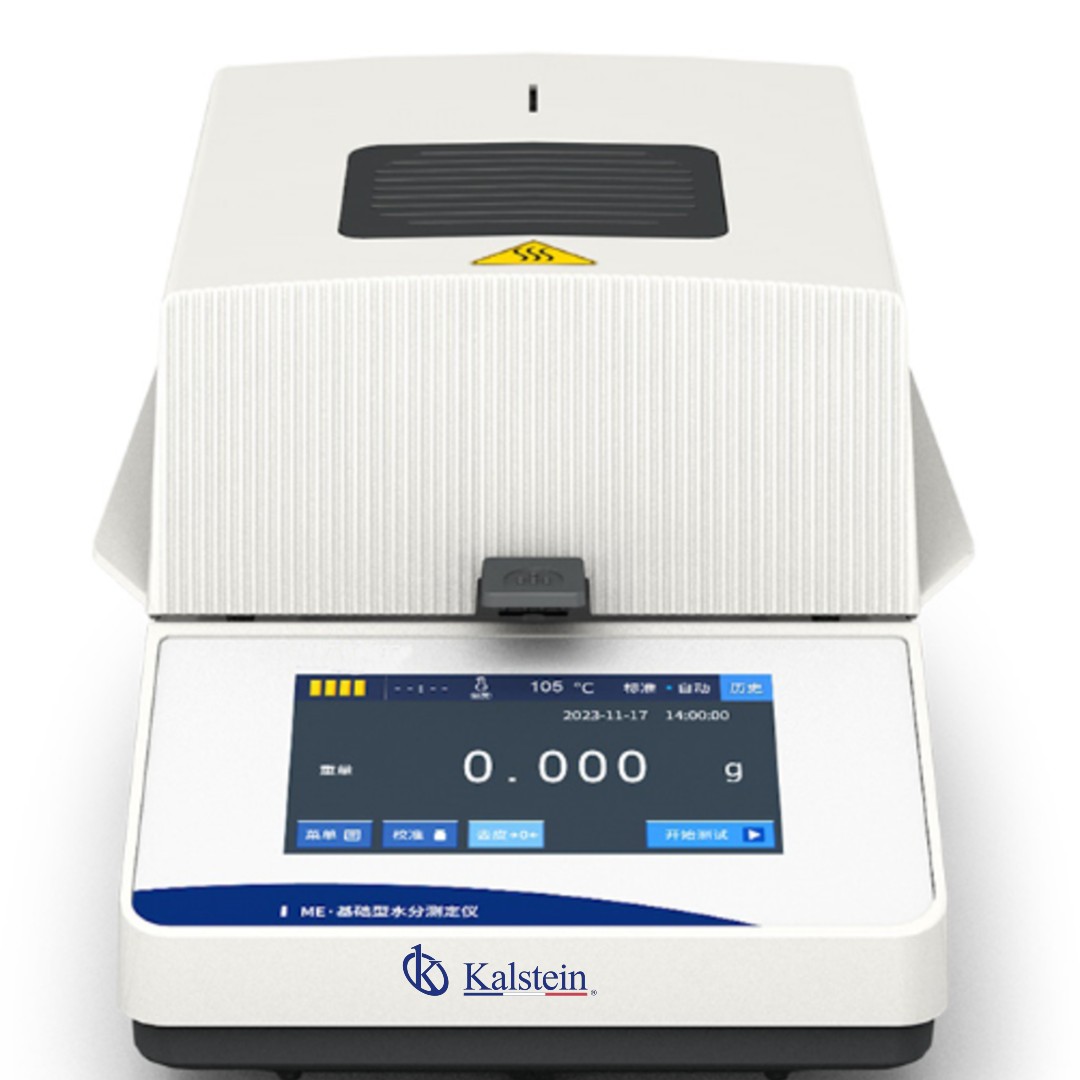
Installation and Startup Guide for the YR06696 Moisture Analyzer
The YR06696 Moisture Analyzer is a precision instrument designed for laboratories and industries that require quick and reliable determination of moisture content in various substances. This guide will walk you through the essential steps for installation and initial setup to ensure optimal performance right from the start.
Understanding the YR06696 Moisture Analyzer
The YR06696 integrates advanced technology to optimize thermogravimetric analysis. Key features include a 5-inch touchscreen interface, halogen heating source, and real-time analysis curves, making it a perfect fit for sectors like food, pharmaceuticals, and agriculture.
Unboxing and Setup Checklist
Before beginning the installation process, ensure that you have the following items:
- YR06696 Moisture Analyzer
- Power cord
- User manual
- Calibration weights (if applicable)
- Cleaning cloth for the sensor
Physical Setup and Anchoring
1. **Location**: Choose a stable surface free from vibrations and airflow. Place the analyzer in a well-ventilated area to avoid overheating.
2. **Anchoring**: Ensure the device is level. Use a spirit level to adjust the feet if necessary.
3. **Clearances**: Allow for adequate space around the unit for ventilation and access to controls.
Power-Up Sequence
1. Connect the power cord to the YR06696 and plug it into an appropriate power outlet (110V or 220V).
2. Turn on the power switch located at the back of the unit.
3. Wait for the initialization process to complete, which is indicated on the touchscreen display.
First-Run Calibration
1. **Calibration Verification**: Use calibration weights to verify the accuracy of the weight measurement feature. Adjust settings if necessary.
2. **Temperature Setup**: Set the drying temperature within the range of 40°C to 160°C as per your material specifications.
3. **Check Sensor Cleanliness**: Ensure the PT-100-2 sensor is clean and positioned correctly.
Common Setup Mistakes to Avoid
To ensure a smooth initial setup, avoid the following common mistakes:
- Installing the analyzer in a location with excessive vibrations or airflow.
- Forgetting to calibrate the device before the first use.
- Using unsuitable power supply settings.
Technical Data Table for YR06696
| Parameter | Specifications |
|---|---|
| Model | YR06696 |
| Maximum Capacity | 110 g |
| Weight Readability | 0.01 g |
| Weight Sensor | Load Cell |
| Heating Source | Halogen Lamp |
| Temperature Range | 40°C - 160°C (1°C increments) |
| Humidity Range | 90.00% - 10.00% |
| Humidity Readability | 0.1% |
| Display | 5-inch Touchscreen |
| Plate Size | 96 mm |
| Storage | 20 Memory Groups |
| Analysis Curve | Real-Time Dynamic |
| Test Height | 30 mm |
| Power Supply | 220V 50Hz / 110V 60Hz |
| Instrument Dimensions | 33.6 x 21.4 x 16.6 cm |
| Packaging Size | 41.5 x 31.0 x 25.5 cm |
| Net Weight | 3.5 kg |
| Gross Weight | 4.0 kg |
Frequently Asked Questions
What is the maximum sample capacity for the YR06696 Moisture Analyzer?
The YR06696 can analyze samples weighing up to 110 grams.
Can the drying temperature be adjusted on the YR06696?
Yes, the drying temperature can be set between 40°C and 160°C, adjustable in 1°C increments.
How are test reports transferred from the YR06696?
The device features a historical test report function that allows reviewing previous analyses directly on the display or managing them based on the communication port settings.
What advantages does the touchscreen interface of the YR06696 provide?
The 5-inch touchscreen helps streamline the operation and minimizes operational errors while providing a clear display of data.
How does the YR06696 accommodate different voltage requirements?
The YR06696 operates under both 110V and 220V, providing versatility for different regional electrical standards.
What is the significance of the real-time analysis curve feature?
The real-time analysis curve allows users to monitor the dynamics of weight loss and moisture content throughout the drying process, providing valuable insights into sample behavior.
What are the recommended practices for ensuring accurate readings with the YR06696?
For maximum accuracy, distribute the sample evenly on the 96 mm plate and ensure that the PT-100-2 sensor is clean to avoid erroneous temperature readings. Calibration before critical testing sessions is also recommended.
If you are looking for a fusion of innovation and quality, you have come to the right place. At Kalstein, we offer you the luxury of exploring our exclusive catalog of laboratory equipment. We manufacture every device to the highest standards of excellence. Our intuitive and seamless online purchasing channels are designed for your convenience, securing the most competitive prices. Hesitate no longer — we bring science to life, it is time to become part of our community.