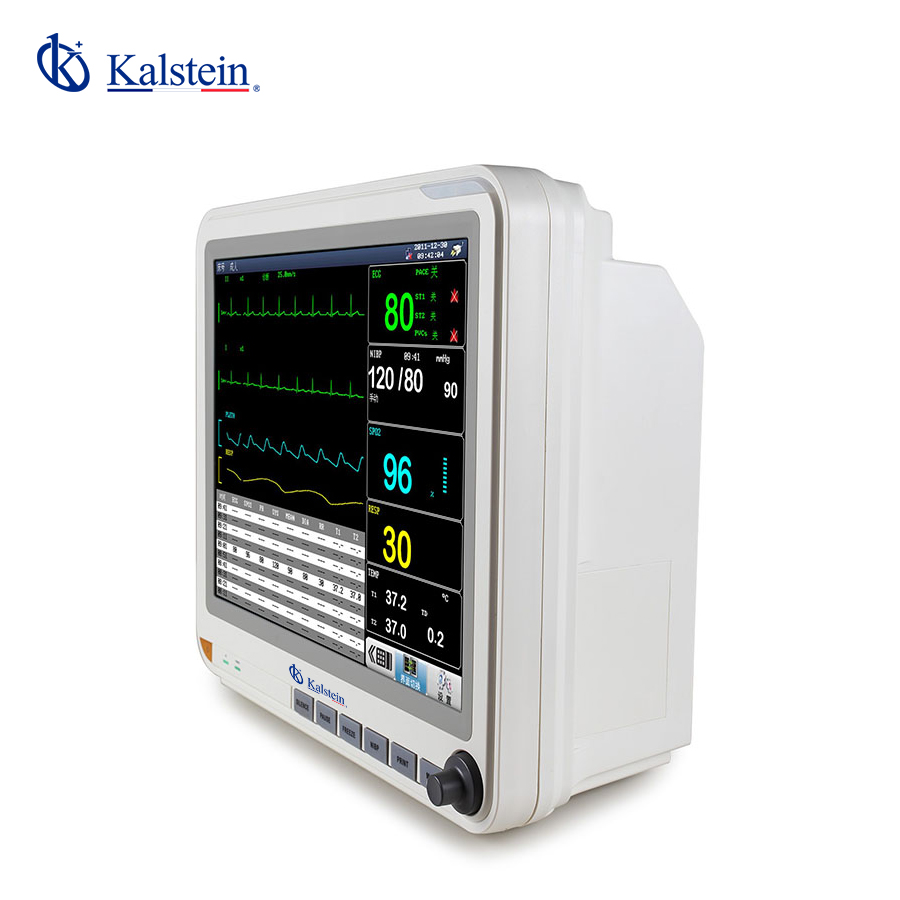
Installation and Startup Guide for the YR02174 Bedside Monitor
The YR02174 Bedside Monitor is a state-of-the-art multiparametric patient monitor designed to assist healthcare providers in monitoring vital signs effectively and accurately. This guide will delve into the essential steps for installing and commissioning this device, ensuring that operators can maximize its potential from the very start.
Understanding the YR02174 Bedside Monitor
The YR02174 features a 15-inch display and supports a wide range of monitoring parameters including SpO2, RESP, NIBP, PR/HR, ECG, and temperature measurements. Optional features also enhance its functionality, such as a 12-lead ECG, invasive blood pressure monitoring, ETCO2 measurement, and additional accessories including a printer and wall mount.
Technical Specifications of the YR02174
| Specification | Description |
|---|---|
| Model | YR02174 |
| Brand | Kalstein |
| Category | Patient Monitor |
| Price (USD) | 428.00 |
| Gross Weight | 6.5 kg |
Unboxing and Initial Setup
Before setting up the YR02174 monitor, ensure you have the following items:
- YR02174 Bedside Monitor
- Power Cable
- User Manual
- Any additional optional accessories
Start by unboxing the monitor carefully, checking for any visible damage. Place the monitor on a stable, flat surface in a location that allows easy access for both patients and medical staff.
Power-Up Sequence and Calibration
Once the monitor is positioned, connect the power cable to the appropriate socket. Ensure that the power supply meets the required specifications. Follow these steps:
- Press the power button to turn on the monitor.
- Allow the device to complete its initialization process.
- Access the settings menu to configure the device according to the healthcare requirements.
- Perform a calibration of all measuring parameters according to the manufacturer’s instructions.
Network Configuration
If the YR02174 will be part of a network, establish a connection to the hospital's network. This process will allow for data sharing between devices. Follow these steps:
- Navigate to the network settings in the main menu.
- Input the necessary network parameters, including IP address, subnet mask, and gateway.
- Test the connection to ensure successful integration into the network.
Common Setup Mistakes to Avoid
While setting up the YR02174, operators should be aware of common mistakes that can lead to malfunctions or inaccurate readings:
- Not performing a proper calibration before first use.
- Improper placement of sensors on the patient, leading to erroneous readings.
- Ignoring network configuration settings which can affect data sharing.
Ensuring Valid First Measurements
After the monitor is powered up and calibrated, it is essential to ensure that the first measurements are valid. Follow these guidelines:
- Verify sensor placement and connection integrity.
- Check for any error messages displayed on the screen.
- Conduct a comparison with another monitoring device, if available, to ensure accuracy.
Frequently Asked Questions
What initial checks should I perform on the YR02174 before use?
Before using the YR02174, ensure that all connections are secure, the display is functioning correctly, and the device is calibrated according to the manufacturer's specifications. Additionally, check that all necessary accessories are included and in good working condition.
How do I connect the YR02174 to a network?
To connect the YR02174 to a network, navigate to the network settings in the main menu, input the required network parameters, and test the connection. Ensure that the monitor is configured to function within the hospital’s network settings.
What should I do if the YR02174 displays an error code?
If you encounter an error code on the YR02174, refer to the user manual to identify the cause of the error. Common solutions include recalibrating the device, checking connections, or restarting the monitor.
How can I ensure accurate readings from the YR02174?
To ensure accurate readings, always calibrate the monitor before use, confirm that sensors are placed correctly on the patient, and regularly verify readings against another monitoring device.
What accessories are available for the YR02174 monitor?
The YR02174 may be equipped with various accessories, including a 12-lead ECG module, invasive blood pressure monitors, and a printer. Consult the manufacturer for a complete list of compatible accessories.
How often should the YR02174 be serviced?
Regular servicing of the YR02174 is recommended every 6 to 12 months, depending on usage and the manufacturer's guidelines. This includes calibration and inspection of all components.
For further inquiries and personalized services, feel free to request a quote for the YR02174 on Kalstein Plus.
If you are looking for a fusion of innovation and quality, you have come to the right place. At Kalstein, we offer you the luxury of exploring our exclusive catalog of laboratory equipment. We manufacture every device to the highest standards of excellence. Our intuitive and seamless online purchasing channels are designed for your convenience, securing the most competitive prices. Hesitate no longer — we bring science to life, it is time to become part of our community.