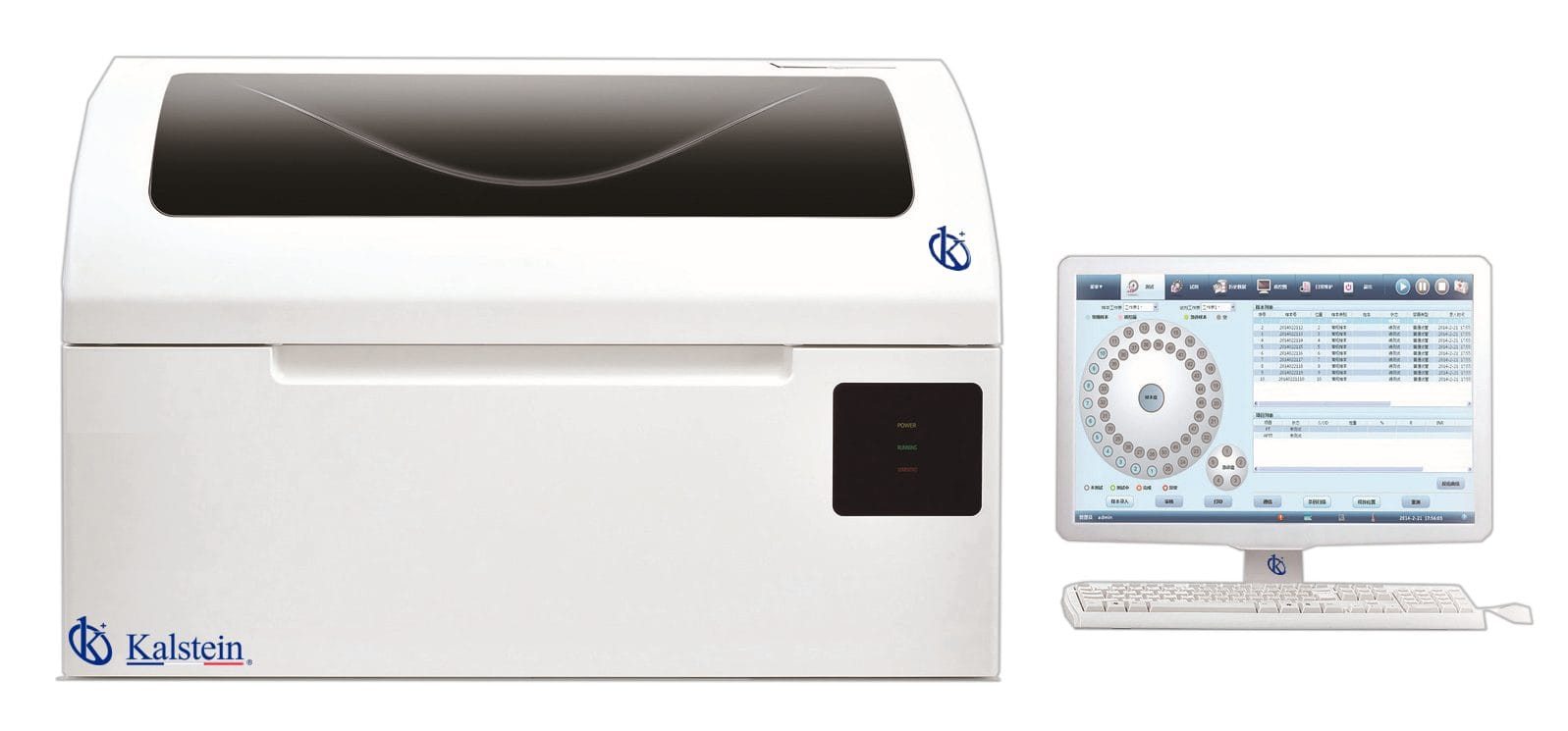
Installation and Commissioning Guide for the YR06083 Automated Coagulation Analyzer
The YR06083 Automated Coagulation Analyzer is a cutting-edge device designed for precise and efficient coagulation testing in laboratory settings. This guide will provide you with step-by-step instructions for installing and commissioning the YR06083, ensuring that it performs at its best.
Understanding the YR06083 and Its Features
The YR06083 model excels in coagulation testing, with features such as low reagent consumption, advanced optical light combination systems, and a high-precision thermostat. It facilitates routine tests like PT, APTT, TT, fibrinogen, and coagulation factor assays. An understanding of these features is essential for proper installation and operation.
Technical Specifications of the YR06083
| Model | YR06083 |
|---|---|
| Testing Channels | 2 |
| Preheating Sample Position | 16 |
| Reagent Preheating Position | 4 |
| Sample Consumption | 20—40 µL |
| Reagent Consumption | PT: 40 µL, APTT: 20 µL, others: 30 µL, open reagent |
| Precision Testing | CV < 2% |
| Memory | 10,000 results |
Unboxing and Initial Setup
Upon receiving your YR06083, carefully unbox the unit and check for any shipping damage. Ensure all included components are present, including the internal thermal printer, pipette, and necessary cables. Follow this checklist:
- Verify the presence of the user manual.
- Check for the power cable and USB connection cable.
- Examine the pipette and ensure it is in working condition.
- Inspect the analyzer for any physical damage.
Physical Installation of the YR06083
Choose an appropriate location for the YR06083. The environment should be stable in terms of temperature and humidity. Follow these steps for installation:
- Position the analyzer on a level surface to ensure stability.
- Ensure there is sufficient clearance for ventilation and maintenance.
- Connect the power supply to a grounded outlet.
- Connect the RS232 interface to your PC for data transfer.
Power-Up Sequence and Initial Calibration
After setting up the analyzer, follow these steps for the power-up sequence:
- Turn on the power switch.
- Wait for the system to complete its self-check.
- Access the calibration menu through the interface.
- Follow the prompts for initializing the calibration process.
It is vital to perform a first-run calibration using standard reagents to ensure accurate results.
Common Installation Mistakes
Here are some common setup mistakes to avoid:
- Neglecting to level the device can lead to inaccurate readings.
- Incorrectly connecting the power supply can damage the unit.
- Failure to run the initial calibration can affect test accuracy.
- Not ensuring a stable environmental condition may result in errors.
Frequently Asked Questions
What is the best environment for operating the YR06083?
The YR06083 should be operated in a stable environment with controlled temperature, humidity, and minimal vibration to ensure accurate testing results.
How do I perform a first-run calibration on the YR06083?
To perform a first-run calibration, access the calibration menu through the interface after powering on the unit and follow the on-screen instructions using standard reagents.
Can I connect the YR06083 to a PC for data management?
Yes, the YR06083 has an RS232 interface for connecting to a PC, allowing data management and transfer for better laboratory workflow.
What types of tests can be performed with the YR06083?
The YR06083 is capable of performing various tests, including PT, APTT, TT, fibrinogen, and other coagulation factor assays.
How do I troubleshoot if my YR06083 does not power on?
If the YR06083 does not power on, check the power connection, ensure the outlet is functioning, and confirm that the power switch is in the ON position.
What should I do if I encounter an error code on the YR06083?
Refer to the user manual's error code section for troubleshooting steps specific to the error code displayed. Common solutions may include checking connections or recalibrating the device.
Conclusion
Proper installation and commissioning of the YR06083 Automated Coagulation Analyzer are vital for ensuring reliable performance and accuracy in your laboratory. Adhering to this guide will help you leverage the advanced capabilities of this equipment efficiently.
If you are looking for a fusion of innovation and quality, you have come to the right place. At Kalstein, we offer you the luxury of exploring our exclusive catalog of laboratory equipment. We manufacture every device to the highest standards of excellence. Our intuitive and seamless online purchasing channels are designed for your convenience, securing the most competitive prices. Hesitate no longer — we bring science to life, it is time to become part of our community.