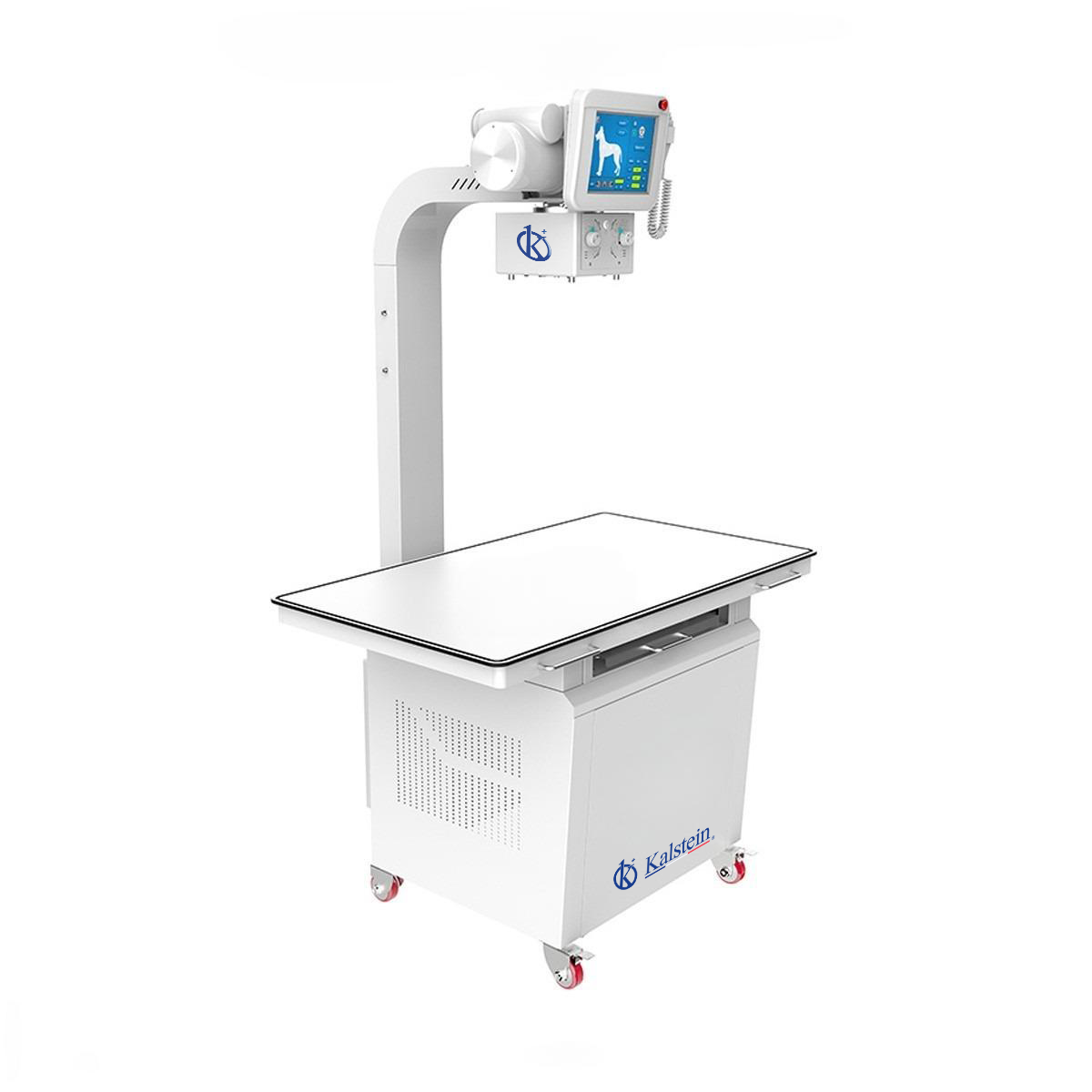
Troubleshooting Common Errors on the YR06162 Digital Veterinary X-ray System
The YR06162 Digital Veterinary X-ray System is an advanced piece of imaging equipment designed to provide high-quality radiographic images in veterinary practices. However, like any complex device, it may encounter errors and malfunctions. This guide aims to help operators identify common symptoms, diagnose potential issues, and provide solutions to ensure that the YR06162 operates smoothly.
Understanding the YR06162 Digital Veterinary X-ray System
The YR06162 is equipped with features such as a 200 mA HF generator, a Toshiba 7239 X-ray tube, a flat panel detector, and an advanced computer system with an LCD. The system supports various veterinary applications, such as radiography for pets. Knowing the components and their functionalities is essential in troubleshooting errors effectively.
Technical Specifications of the YR06162
| Specification | Details |
|---|---|
| Model | YR06162 |
| Maximum Output Power | 16 kW |
| Input Voltage Range | AC 220V±22V |
| Applicable Support | Radiography |
| Inverter Frequency | ≥30kHz |
| Tube Voltage Range | 40kV~125kV |
| Range of Tube Current | 16~200mA |
| Exposure Time Range | 0.0025s~6.4s |
| Communication Interface | RS-232 |
Troubleshooting by Symptoms
Below is a guide to common symptoms that may occur while operating the YR06162, along with their probable causes and potential solutions.
Equipment Does Not Power On
This issue can arise from several factors:
- Power Source: Check if the power cable is connected and if the outlet is functioning.
- Internal Fuse: A blown fuse inside the unit may prevent it from powering up. Inspect and replace if necessary.
- Faulty Power Switch: Ensure that the power switch is functioning correctly.
Error Code E-03
Error code E-03 typically indicates a communication failure:
- Check Connections: Ensure all cables, especially the RS-232 communication interface, are securely connected.
- Software Reset: Restart the system to reset any temporary glitches.
- Check for Updates: Ensure the system software is up to date.
Inconsistent Readings
If the readings of the X-ray images are inconsistent:
- Calibration Issues: Recalibrate the system using the calibration procedure outlined in the user manual.
- Tube Voltage Fluctuations: Verify that the tube voltage is set correctly and within the operational range.
- Detector Malfunction: Inspect the flat panel detector for faults.
Symptom to Cause to Solution Table
| Symptom | Probable Cause | Solution |
|---|---|---|
| Equipment Does Not Power On | Power source issues, blown internal fuse, faulty power switch | Check connections, replace fuse, test power switch |
| Error Code E-03 | Communication failure | Check all connections, restart system, update software |
| Inconsistent Readings | Calibration issues, voltage fluctuations, detector malfunction | Recalibrate, check settings, inspect detector |
Preventive Maintenance for the YR06162
Regular maintenance is essential to prevent common errors and prolong the lifespan of the YR06162. Key maintenance tasks include:
- Routine Calibration: Schedule regular calibration to ensure accurate readings.
- Regular Cleaning: Clean the X-ray tube and flat panel detector to prevent image quality deterioration.
- Check Electrical Connections: Inspect all cables and connections for wear and tear.
- System Updates: Keep the system software updated to avoid bugs and improve functionality.
Frequently Asked Questions
What should I do if the YR06162 shows an error code?
If the YR06162 shows an error code, refer to the troubleshooting section of the user manual to identify the specific error and follow the recommended solutions. Common issues include checking connections and restarting the system.
How often should the YR06162 be calibrated?
The YR06162 should be calibrated at least every six months or after significant repairs or changes to ensure accurate imaging results. Regular calibration helps maintain the quality of the diagnostic images.
What type of maintenance is required for the YR06162?
Maintenance for the YR06162 includes routine calibration, regular cleaning of components, checking electrical connections, and keeping software up to date. This will help prevent errors and extend the equipment's lifespan.
Can I perform repairs on the YR06162 myself?
While some minor issues can be addressed by trained personnel, it is recommended to consult a professional technician for significant repairs to prevent further damage to the system.
How can I ensure the best image quality from the YR06162?
To ensure the best image quality, regularly maintain the equipment, properly adjust exposure settings, and ensure the X-ray tube and detector are clean and functioning correctly.
Is there a warranty for the YR06162?
Yes, the YR06162 typically comes with a warranty that covers manufacturing defects. It's crucial to check the warranty terms at the time of purchase for specifics on coverage and duration.
How do I request a quote for the YR06162?
You can request a quote for the YR06162 by contacting our sales team directly or visiting our dedicated quote request section.
If you are looking for a fusion of innovation and quality, you have come to the right place. At Kalstein, we offer you the luxury of exploring our exclusive catalog of laboratory equipment. We manufacture every device to the highest standards of excellence. Our intuitive and seamless online purchasing channels are designed for your convenience, securing the most competitive prices. Hesitate no longer — we bring science to life, it is time to become part of our community.