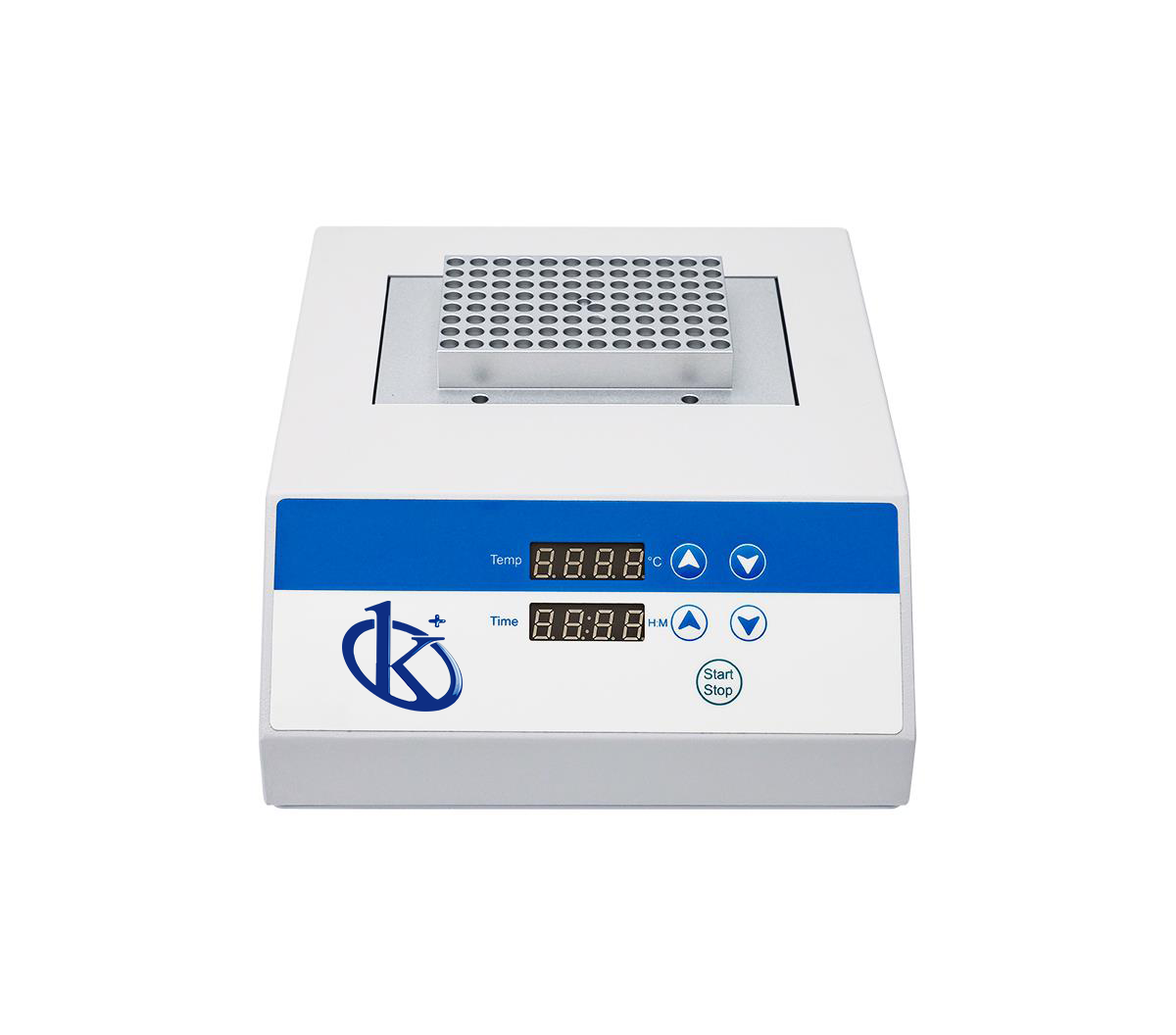
Troubleshooting Common Errors on the YR05900 Dry Bath Incubator
The YR05900 Dry Bath Incubator is a microprocessor-controlled incubator extensively used in sample preservation, DNA amplification, and coagulation studies. While it is designed for reliability, users may occasionally encounter errors that require troubleshooting. Understanding these common issues allows for prompt resolution, ensuring efficient laboratory operations.
Technical Specifications of YR05900
| Model | Brand | Category | Subcategory | Price USD | Weight (Gross) | Dimensions |
|---|---|---|---|---|---|---|
| YR05900 | Kalstein | Incubator | Biochemical BOD incubator | 179.00 | 6.8 kg | 48 x 42 x 25 cm |
Common Symptoms and Troubleshooting Steps
This section discusses specific symptoms that may arise while using the YR05900 and provides a structured approach to troubleshoot them effectively.
Equipment Does Not Power On
If the YR05900 does not power on, first check the power connection and outlet. Ensure that the power cord is firmly connected to the incubator and the electrical socket. Check for any visible damage to the power cord. If the power supply is functioning but the unit still does not turn on, it may indicate a fault in the internal circuitry or power supply.
Display Shows Error Code E-03
Error code E-03 typically indicates a problem with temperature calibration. This can occur if the incubator is exposed to extreme fluctuations in temperature or if the temperature sensor is malfunctioning. To troubleshoot, first calibrate the temperature as per the manual guidelines. If the error persists, consider replacing the temperature sensor.
Inconsistent Temperature Readings
Inconsistent temperature readings are often due to inadequate calibration or malfunctioning components. Ensure that the incubator has been calibrated correctly. It is advisable to check the temperature stability at various points within the incubator. If inconsistencies continue, inspect the internal heating elements for any obstructions or faults.
Common Troubleshooting Symptom Table
| Symptom | Probable Causes | Diagnostic Steps | Solutions |
|---|---|---|---|
| Does Not Power On | Power connection issue, internal fault | Check power cord and socket | Secure connections, replace power supply if needed |
| Error Code E-03 | Temperature sensor failure | Review calibration procedures | Calibrate or replace the temperature sensor |
| Inconsistent Readings | Calibration failure, heating element issue | Check calibration and internal elements | Recalibrate, inspect heating elements |
Best Practices to Avoid Common Errors
To minimize the occurrence of errors with the YR05900, adhere to these best practices:
- Regularly calibrate the incubator according to manufacturer guidelines.
- Ensure that the incubator is operating within specified environmental conditions.
- Perform routine checks on the power supply and internal components.
- Follow usage instructions meticulously to prevent operator errors.
Frequently Asked Questions
What should I do if my YR05900 beeps continuously?
A continuous beep usually indicates an alert condition. Check the display for any error codes and refer to the troubleshooting section of the manual for specific actions.
How can I calibrate the temperature on the YR05900?
To calibrate the temperature, access the calibration menu on the device’s display and follow the prompts to set the desired temperature based on verified external temperature readings.
What type of maintenance does the YR05900 require?
Regular maintenance includes cleaning the exterior and interior of the incubator, checking for and replacing worn components, and performing routine calibrations to ensure accuracy.
Can I use the YR05900 for DNA amplification?
Yes, the YR05900 is suitable for DNA amplification processes, thanks to its precise temperature control capabilities.
What is the maximum temperature the YR05900 can reach?
The YR05900 can reach a maximum temperature of 150°C, making it suitable for various applications requiring high-temperature conditions.
How do I reset the YR05900 after an error?
To reset the incubator, turn it off and unplug it for a few minutes. Once plugged back in, it should return to normal operation unless the error persists, indicating a deeper issue.
Where can I find replacement parts for the YR05900?
Replacement parts can be sourced from the manufacturer or authorized distributors. It is advisable to use original parts to ensure compatibility and reliability.
For specialized queries and to obtain a personalized quote, please request a quote on Kalstein Plus.
If you are looking for a fusion of innovation and quality, you have come to the right place. At Kalstein, we offer you the luxury of exploring our exclusive catalog of laboratory equipment. We manufacture every device to the highest standards of excellence. Our intuitive and seamless online purchasing channels are designed for your convenience, securing the most competitive prices. Hesitate no longer — we bring science to life, it is time to become part of our community.