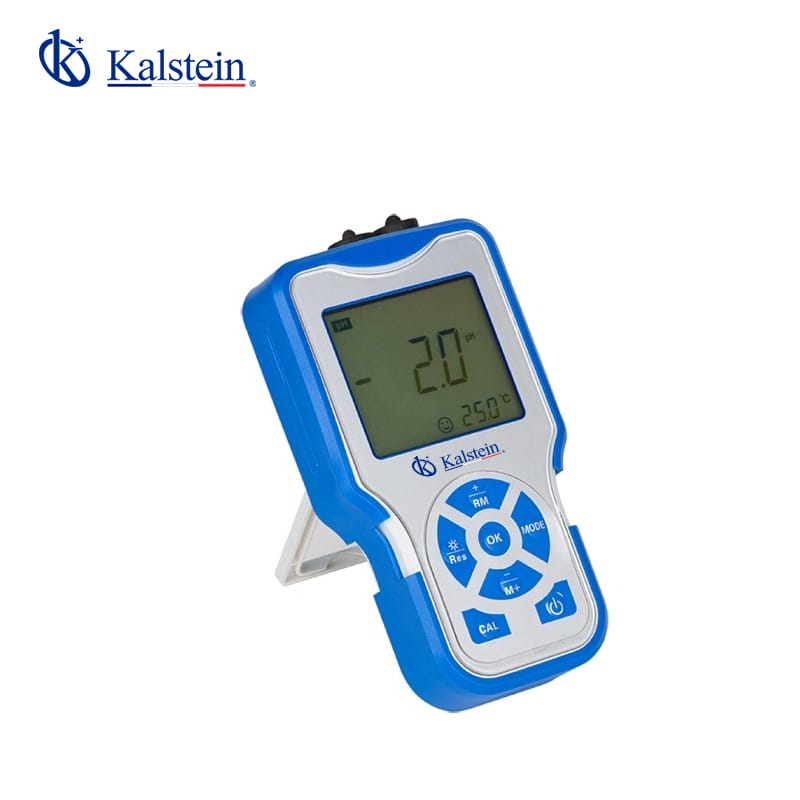
Troubleshooting Common Errors in the YR01818 Portable Conductivity Meter
The YR01818 Portable Conductivity Meter is a versatile instrument that provides accurate measurements of conductivity, TDS, salinity, and resistivity in various applications. However, like any technical device, it may encounter errors or issues during operation. This article aims to guide you through troubleshooting common symptoms associated with the YR01818, identifying probable causes, and offering effective solutions.
Understanding the YR01818 Conductivity Meter
The YR01818 model features advanced technology for precise conductivity measurement across a range of applications. With automatic temperature compensation, data storage options, and a user-friendly interface, it is designed to meet the rigorous demands of professionals in various fields. Familiarity with its functionalities is essential to optimize performance and troubleshoot effectively.
Technical Specifications of the YR01818
| Specification | Details |
|---|---|
| Model | YR01818 |
| Measuring Range | Conductivity: (0.00~19.99)µS/cm, TDS: (0~100)g/L, Salinity: (0~100)ppt, Resistivity: (0~100) ΜΩ·cm |
| Resolution | 0.01/0.1/1µS/cm; 0.01/0.1 mS/cm |
| Accuracy | ±1.0% FS, Overall:±1.5% FS |
| Temperature Compensation Range | (0~100)°C (Auto/manual) |
| Data Storage | 0.1/1/10 cm |
| Power Supply | Two AA batteries (1.5V x2) |
Common Symptoms and Troubleshooting Guide
This section categorizes common symptoms encountered while using the YR01818 Portable Conductivity Meter, along with their probable causes and solutions in a systematic manner.
Equipment Does Not Power On
If the YR01818 does not power on, several issues could be at play. First, check if the batteries are installed correctly and have sufficient charge. If the batteries are fresh and correctly placed, inspect the battery compartment for corrosion or debris that may hinder contact.
Error Code E-03 Displayed
Error Code E-03 typically indicates that there is an issue with the probe or electrode connection. Ensure that the electrode is properly connected and clean. If the problem persists, consider recalibrating the device according to the user manual.
Inconsistent Readings
Inconsistent readings can arise from several factors including temperature fluctuations, probe fouling, or inadequate calibration. Regularly clean the electrode and recalibrate the device to ensure accurate measurements. Ensure that the measurement environment is stable, eliminating factors that could affect readings.
Display Screen Is Blank
A blank display can result from a power issue or malfunctioning display unit. Verify that the batteries are functioning correctly and replace them if needed. If the issue continues, consult the manufacturer or service center.
Calibration Errors
If calibration fails, it may be due to using incorrect calibration solutions or outdated calibration settings. Always use the recommended calibration standards for the YR01818 and ensure they are within their expiration date. Follow the calibration procedure outlined in the manual step-by-step.
Symptom-Cause-Solution Table
| Symptom | Possible Cause | Solution |
|---|---|---|
| Equipment Does Not Power On | Battery issue | Check batteries, replace if necessary |
| Error Code E-03 | Poor electrode connection | Check connections, clean electrode |
| Inconsistent Readings | Temperature fluctuations | Stabilize environment, clean and calibrate |
| Display Screen Is Blank | Power supply issue | Check and replace batteries |
| Calibration Errors | Incorrect calibration solutions | Use recommended standards, re-calibrate |
Frequently Asked Questions
What should I do if my YR01818 shows inaccurate readings?
If your YR01818 shows inaccurate readings, first ensure that the electrochemical probe is clean and that you are using the correct calibration solutions. Recalibrate the device and check the environmental conditions during measurement to avoid interference.
How do I perform a proper calibration on the YR01818?
To calibrate the YR01818, prepare calibration solutions as specified in the user manual. Insert the electrode into the solution, select the calibration mode, and follow the prompts to set the values according to the standard solutions.
What is the recommended maintenance for the YR01818?
Regular maintenance includes cleaning the electrode after each use, ensuring the battery compartment is free from corrosion, and recalibrating the device at regular intervals or when changing measurement conditions.
Can the YR01818 be used in field conditions?
Yes, the YR01818 features an IP57 rating, making it dustproof and waterproof, suitable for outdoor use. However, ensure that the conditions are not extreme and the device is properly stored when not in use.
How often should I replace the electrodes on the YR01818?
Electrode replacement depends on usage frequency and cleaning practices. Regular inspections should be carried out, and electrodes should typically be replaced every 6-12 months to ensure optimal performance.
What to do if the YR01818 is not recognizing calibration solutions?
If the YR01818 does not recognize calibration solutions, verify that the solutions are within their expiration date and correctly prepared according to manufacturer guidelines. If issues persist, consult the support team for troubleshooting.
To learn more about acquiring the YR01818 Portable Conductivity Meter, request a quote on Kalstein Plus.
If you are looking for a fusion of innovation and quality, you have come to the right place. At Kalstein, we offer you the luxury of exploring our exclusive catalog of laboratory equipment. We manufacture every device to the highest standards of excellence. Our intuitive and seamless online purchasing channels are designed for your convenience, securing the most competitive prices. Hesitate no longer — we bring science to life, it is time to become part of our community.