Table Conductivity Controllers: Common Errors and How to Avoid Them in Daily Operations 2026
What is it used for in 2026
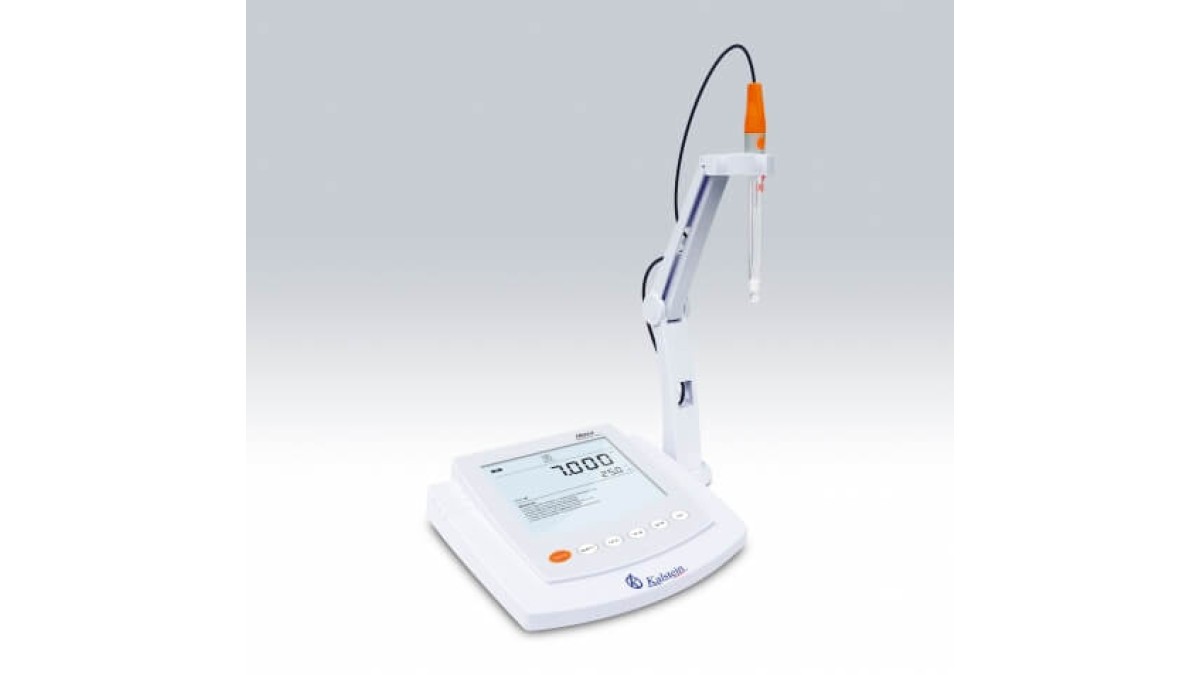
Table conductivity controllers are essential instruments in laboratories for measuring the electrical conductivity of liquids, which is a critical parameter in various applications including water quality testing, chemical analysis, and biological research. These devices facilitate accurate measurement of ion concentration in solutions, which is vital in determining the purity and quality of water, ensuring proper chemical reactions, and maintaining optimal conditions in biological experiments.
History and evolution of the technology
The technology of conductivity measurement has evolved significantly since its inception. Early models were rudimentary, primarily using analog meters that required manual calibration and had limited accuracy. As technology advanced, digital conductivity meters emerged, offering improved accuracy, auto-calibration features, and the ability to measure multiple parameters, including pH and TDS (total dissolved solids). The introduction of touch-screen interfaces and wireless data transfer has further enhanced user experience, enabling real-time monitoring and data management.
How to use it step by step
- Preparation: Gather your sample and ensure the conductivity meter is clean and calibrated.
- Power On: Turn on the device and allow it to warm up if necessary.
- Calibration: Calibrate the device using standard solutions according to the manufacturer's instructions.
- Sample Measurement: Submerge the electrode in the sample solution, ensuring it is fully immersed.
- Reading: Wait for the reading to stabilize, then record the results displayed on the screen.
- Cleaning: Clean the electrode after use to prevent contamination.
Best techniques and protocols
Utilizing best practices is crucial for obtaining accurate measurements with table conductivity controllers. Key protocols include:
- Regular calibration with fresh standard solutions.
- Using appropriate electrodes for the specific type of measurement.
- Maintaining proper temperature control during measurements as conductivity can be temperature-dependent.
- Avoiding air bubbles on the electrode during measurement.
Practical applications by laboratory type
Different laboratory environments utilize table conductivity controllers in varied ways:
- Environmental Laboratories: Monitoring and assessing water quality in natural and polluted water bodies.
- Chemical Laboratories: Ensuring accurate formulation of chemical solutions.
- Biological Laboratories: Maintaining proper ionic conditions for cell cultures and assays.
Regulations, standards and certifications
Compliance with regulations is essential in laboratory practices. Common standards include:
- ISO 17025 for general requirements for the competence of testing and calibration laboratories.
- GLP (Good Laboratory Practice) guidelines which ensure the quality and integrity of test data.
Comparison with alternative technologies
While table conductivity controllers are widely used, there are alternative technologies such as portable conductivity meters and inline conductivity sensors. Portable meters offer convenience for field testing, while inline sensors provide continuous monitoring in industrial processes. However, table conductivity controllers generally offer higher accuracy and more features suitable for lab environments.
Comparison of available models
| Model | Best for | Key specs | Recommended use case |
|---|---|---|---|
| YR01836-1 | Multifunctional testing | pH range: -2.000 to 20.000pH, Conductivity range: 0.01 to 2000 µS/cm | Laboratory environments needing multiple measurements |
| YR01836 | Smart laboratory applications | pH range: -2 to 19.999pH, USB connectivity | Modern labs with data management needs |
| YR01829-1 | Classic conductivity testing | Conductivity range: 0.01 to 2000 µS/cm, 1-3 point calibration | Daily testing scenarios in basic labs |
| YR01829-2 | Classic conductivity testing | Conductivity range: 0.01 to 2000 µS/cm, 1-3 point calibration | Daily testing scenarios in basic labs |
| YR01829 | Advanced conductivity measurement | pH range: -1.999 to 19.999pH, high-resolution display | High-tech labs needing precise measurements |
| YR01828 | Multi-parameter analysis | Conductivity: (0.00~20.00)μS/cm, TDS measurement | Versatile labs requiring a range of measurements |
Common mistakes and how to avoid them
Common errors when using table conductivity controllers include:
- Neglecting calibration: Always calibrate before each use.
- Ignoring temperature effects: Be aware that conductivity varies with temperature; use temperature compensation.
- Using contaminated electrodes: Ensure electrodes are clean to avoid inaccurate readings.
Maintenance, calibration and good practices 2026
To maintain accuracy, follow these practices:
- Calibrate regularly with fresh standards.
- Store electrodes properly and clean them after each use.
- Keep the device in a stable environment away from extreme temperatures.
Cost-benefit analysis 2026
Investing in a table conductivity controller can lead to significant improvements in data accuracy and efficiency in laboratory operations. The initial cost can be offset by the quality of results, reduction in sample re-testing, and improved workflow. It is crucial to carefully analyze the specific needs of the laboratory to select the model that offers the best return on investment.
Frequently asked questions
How often should I calibrate my conductivity meter?
Calibration should be done before each use to ensure the most accurate results, especially if the meter is used for different types of samples.
Can I use the conductivity meter for different liquids?
Yes, however, the meter should be properly cleaned between measurements to avoid cross-contamination, and it’s important to consider the compatibility of the electrodes with different solutions.
What is the best way to clean the electrodes?
Electrodes can typically be cleaned with distilled water and a soft cloth or tissue. Specific cleaning solutions may be recommended by the manufacturer for stubborn residues.
Is temperature compensation necessary?
Yes, as the conductivity of a solution can vary with temperature, using a meter with automatic temperature compensation (ATC) is crucial for accurate measurements.
What should I do if my conductivity readings are inconsistent?
Check the calibration status, ensure the electrodes are clean, and verify that you're using the device in the correct temperature range. If problems persist, consult the user manual or contact technical support.
How long do electrodes typically last?
Electrode lifespan can vary based on usage and maintenance, but they generally last from a few months to a couple of years. Regular cleaning and proper storage can extend their lifespan.
Where can I request a quote for these devices?
You can request a quote through Kalstein Plus, which offers a user-friendly platform to browse and purchase laboratory equipment.
If you are looking for a fusion of innovation and quality, you have come to the right place. At Kalstein, we offer you the luxury of exploring our exclusive catalog of laboratory equipment. We manufacture every device to the highest standards of excellence. Our intuitive and seamless online purchasing channels are designed for your convenience, securing the most competitive prices. Hesitate no longer — we bring science to life, it is time to become part of our community.