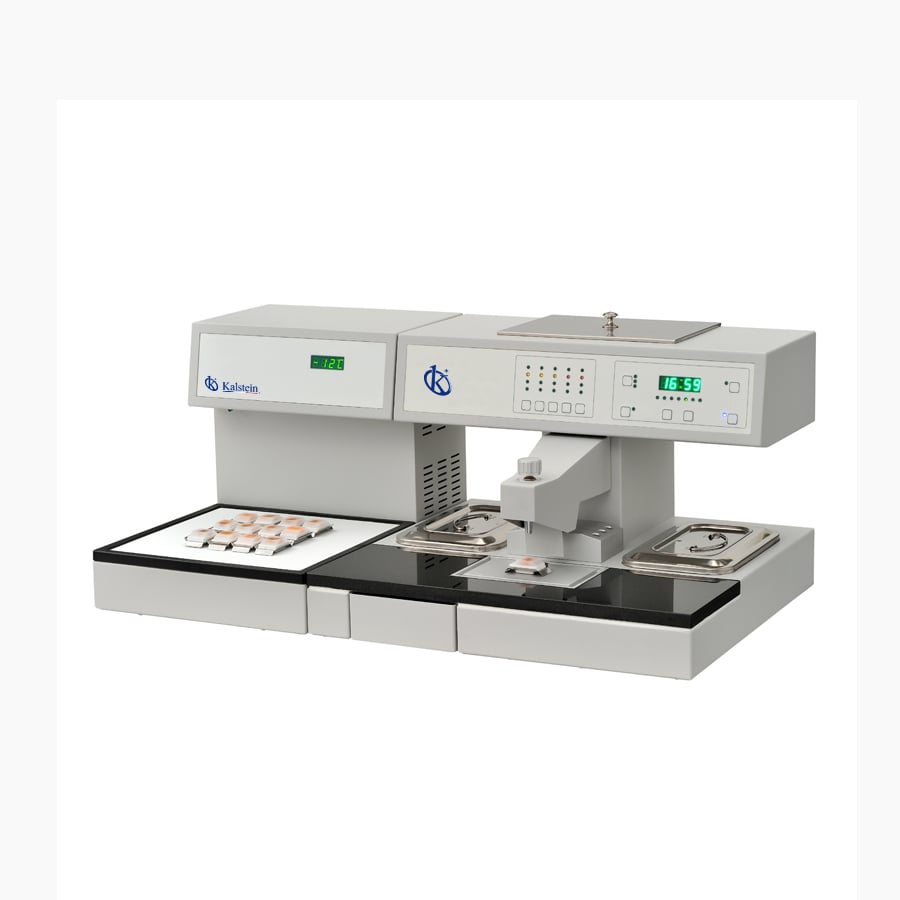
Installation and Startup Guide for the YR441 Tissue Embedding Center
The YR441 Tissue Embedding Center is a cutting-edge solution designed for tissue processing in histology and pathology laboratories. This guide provides step-by-step details on the installation and initial setup, ensuring optimal performance from day one.
Understanding the YR441 System
The YR441 is a fully programmable tissue embedding system that allows for automatic start and stop functionality, offering unparalleled flexibility for lab operations. With microprocessor-controlled temperature settings and LED indicators, users can quickly determine the operational status of the device.
Technical Data for the YR441
| Specification | Detail |
|---|---|
| Model | YR441 |
| Paraffin Chamber Capacity | 3 liters |
| Temperature Range of Forceps Wells | 55 - 70℃ |
| Temperature Control Precision | ±1% |
| Power | 650W / 300W |
| Working Voltage | AC 220V±10% 50Hz (standard model); AC110V±10% 60Hz |
| Working Temperature of Cryo-Module | ≤ -20℃ |
Unboxing and Inspection
Upon receiving the YR441, carefully unbox the unit and inspect it for any visible damage. All components should be present and match the packing list provided. Ensure that you have the following items:
- YR441 Tissue Embedding Center
- User manual
- Power cord
- Accessory toolkit
Site Preparation and Requirements
Before installation, ensure that the site meets the necessary requirements for optimal operation. This includes:
- Stable electrical supply (AC 220V±10% 50Hz or AC110V±10% 60Hz)
- Ventilation to maintain a suitable working environment
- Space to accommodate the dimensions of the YR441
- Accessibility for maintenance and operation
Leveling and Anchoring
Once the site is prepared, place the YR441 on a stable, level surface. Use a spirit level to check for levelness. If the surface is uneven, adjust the legs of the unit accordingly. This step is crucial to ensure accurate temperature control and effective operation.
Power-Up Sequence
After leveling the unit, connect the power cord to a suitable electrical outlet. Follow these steps to power up the YR441:
- Ensure all switches are in the OFF position.
- Connect the power cord securely.
- Switch on the main power supply.
- Turn on the unit using the power switch.
Initial Calibration and First Run
To ensure accuracy in operation, calibrate the YR441 before its first use. Follow the instructions in the user manual to perform initial calibration. This typically involves:
- Setting the desired temperature on the control panel
- Allowing the unit to stabilize
- Testing the temperature settings against a calibrated thermometer
After calibration, perform a test run to verify that the system operates correctly.
Common Setup Mistakes to Avoid
While setting up the YR441, avoid these common mistakes to ensure a smooth operation:
- Forgetting to level the unit, leading to inaccurate temperature control.
- Neglecting to check the electrical supply specifications.
- Skipping initial calibration, which may result in inconsistent results.
Frequently Asked Questions
What is the capacity of the paraffin chamber in the YR441?
The paraffin chamber in the YR441 has a capacity of 3 liters, allowing for efficient tissue embedding processes.
How easy is it to operate the YR441 system?
The YR441 is designed with an intuitive interface and user-friendly LED indicators, making it simple to operate and maintain.
What are the operating temperature ranges for the YR441?
The YR441 operates within a temperature range of 55 - 70℃ across various heated areas, ensuring optimal processing conditions for tissue samples.
How can I ensure the longevity of the YR441?
Regular maintenance, adherence to calibration schedules, and proper training for staff will significantly prolong the lifespan of the YR441.
What power specifications does the YR441 require?
The YR441 operates on AC 220V±10% 50Hz or AC110V±10% 60Hz, depending on the model type.
Can I integrate other accessories with the YR441?
Yes, the YR441 is compatible with various optional accessories, such as foot pedals and additional control modules, to enhance its functionality.
Conclusion
Proper installation and startup of the YR441 Tissue Embedding Center are essential for achieving optimal performance and accuracy in your laboratory workflows. By following this guide, you can ensure a successful setup and enjoy the benefits of advanced tissue processing technology.
Discover how the YR441 Tissue Embedding Center can enhance the efficiency and precision of your laboratory. Request a personalized quote or generate an automatic quote through Kalstein Plus today. Elevate the quality of your tissue processing and optimize your workflow with our advanced solutions for laboratories.
If you are looking for a fusion of innovation and quality, you have come to the right place. At Kalstein, we offer you the luxury of exploring our exclusive catalog of laboratory equipment. We manufacture every device to the highest standards of excellence. Our intuitive and seamless online purchasing channels are designed for your convenience, securing the most competitive prices. Hesitate no longer — we bring science to life, it is time to become part of our community.