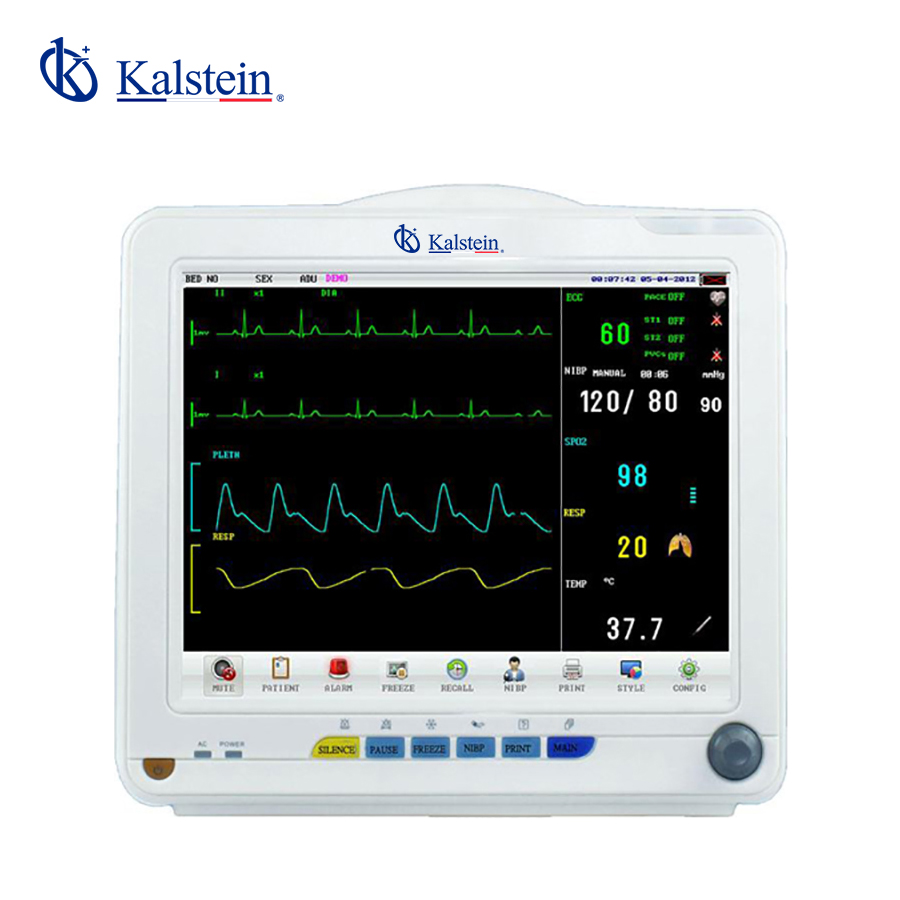
Installation and Startup Guide for the YR02172 Patient Monitor
The YR02172 Patient Monitor is an advanced device designed for multi-channel monitoring, offering features like ST segment analysis, arrhythmia detection, and dynamic OxyCRG visualization. This guide provides comprehensive instructions for the installation and initial setup of the YR02172 to ensure it operates at peak efficiency in clinical settings.
Unboxing Checklist
Before setting up the YR02172 Patient Monitor, it is essential to verify that all components are included. The unboxing checklist includes:
- YR02172 Patient Monitor unit
- Power adapter
- Power cable (AC/DC)
- User manual
- Patient cable set
- Disposable sensors
Anchoring and Leveling the Monitor
To ensure accurate readings, proper anchoring and leveling of the monitor are crucial. Follow these steps:
- Select a stable surface that can support the weight of the monitor (5.5 kg).
- Use the adjustable feet at the base of the monitor to level it on uneven surfaces.
- Secure the monitor in place to prevent any accidental movement during operation.
Power-Up Sequence
Once the monitor is securely in place, follow these steps for the power-up sequence:
- Connect the power adapter to the YR02172 and plug it into an AC power source.
- Press the power button located on the front panel to turn on the device.
- Allow the monitor to initiate its self-check process before proceeding with calibration.
First-Run Calibration
Correct calibration is essential for reliable measurements. Perform the following steps for first-run calibration:
- Access the setup menu using the interface display.
- Select the calibration option for each measurement parameter (ECG, NIBP, SpO2, etc.).
- Follow the on-screen instructions to complete calibration.
Network and USB Setup
The YR02172 supports both wired and wireless connections. Ensure the following for network setup:
- For wired connections, plug the Ethernet cable into the network port on the monitor.
- For wireless setup, navigate to the network settings in the menu, and search for available Wi-Fi networks.
- Connect to the desired network and enter the password when prompted.
Validation of First Measurement
After calibration and setup, validate the first measurement:
- Attach the patient cable to the monitor and connect the sensors to the patient.
- Check the display for any error messages.
- Confirm that the readings are within the expected normal ranges.
Common Setup Mistakes
To avoid issues during installation and setup, be aware of common mistakes:
- Neglecting to calibrate the device before use.
- Improperly connecting the patient cable or sensors.
- Forgetting to secure the monitor in place, leading to erroneous readings.
Technical Specifications of the YR02172
| Model | YR02172 |
|---|---|
| Brand | Kalstein |
| Category | Patient Monitor |
| Price (USD) | 388.00 |
| Gross Weight | 5.5 kg |
| Dimensions | x x |
| Package Size | 41 x 28 x 36 cm |
Frequently Asked Questions
What is the proper way to calibrate the YR02172 Patient Monitor?
Calibration of the YR02172 involves accessing the setup menu, selecting the calibration option for each parameter, and following on-screen instructions. This process ensures accurate measurements across ECG, NIBP, and SpO2 monitoring.
How can I troubleshoot if the YR02172 does not power on?
If the monitor does not power on, check the power source and ensure that the power adapter is securely connected. Additionally, inspect the power cable for any damage. If the issue persists, contact technical support.
What should I do if I encounter an error code on the YR02172?
In the event of an error code, refer to the user manual for specific troubleshooting steps related to that code. Restarting the device often resolves temporary issues.
How do I interpret the readings on the YR02172 display?
Readings on the YR02172 display are straightforward, with clear numerical values and indicators. Familiarize yourself with the normal ranges for each parameter to ensure accurate assessments.
Can I connect the YR02172 to a hospital network?
Yes, the YR02172 supports both wired and wireless network connections. Ensure the proper network settings are configured for seamless integration with hospital systems.
What are the recommended maintenance practices for the YR02172?
Regular maintenance includes cleaning the monitor, performing periodic calibrations, and checking for software updates to ensure optimal performance.
How do I obtain a quote for the YR02172 Patient Monitor?
You can request a quote through our contact channels for the YR02172 Patient Monitor, ensuring competitive pricing and service.
If you are looking for a fusion of innovation and quality, you have come to the right place. At Kalstein, we offer you the luxury of exploring our exclusive catalog of laboratory equipment. We manufacture every device to the highest standards of excellence. Our intuitive and seamless online purchasing channels are designed for your convenience, securing the most competitive prices. Hesitate no longer — we bring science to life, it is time to become part of our community.