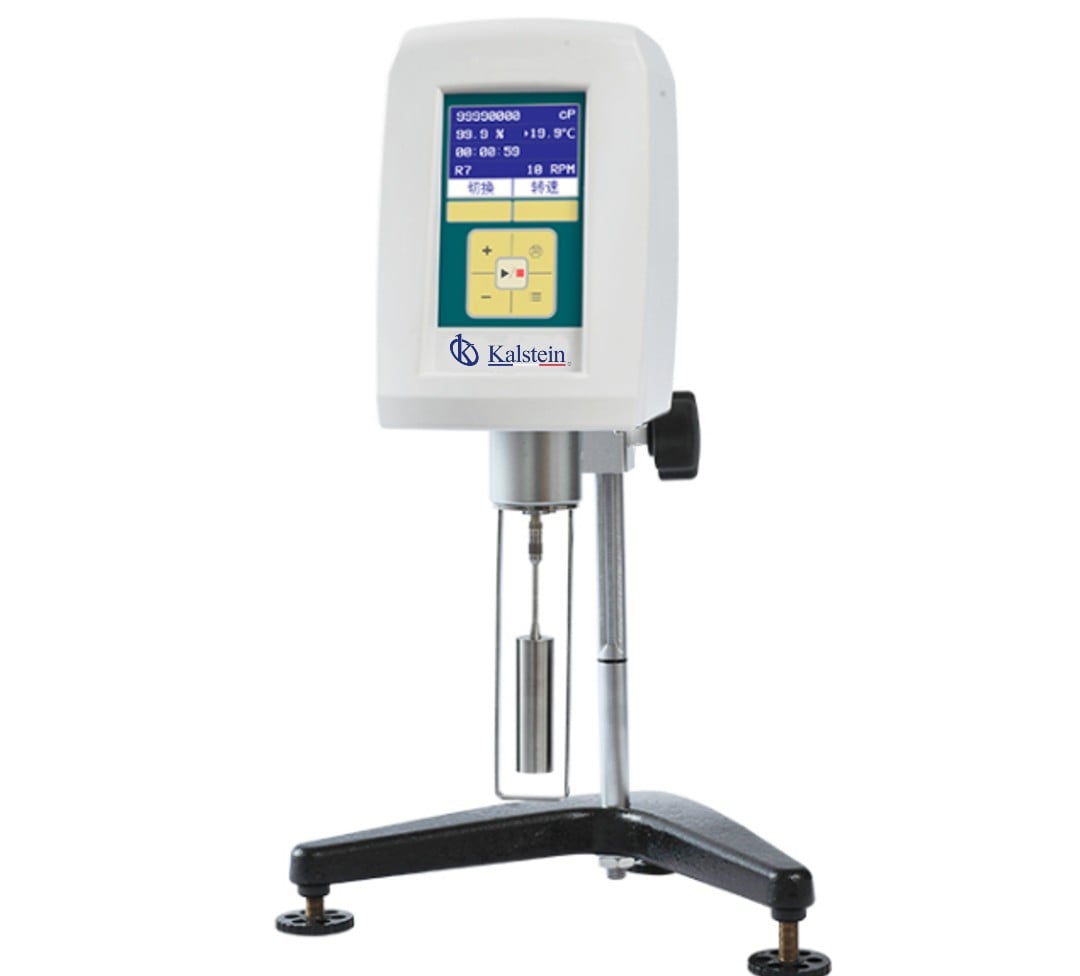
Installation and Commissioning Guide for the YR06642 Digital Rotary Viscometer
The YR06642 Digital Rotary Viscometer is a precision instrument designed for advanced fluid analysis, boasting a measurement capacity of up to 320 million mPa.s. Understanding how to correctly install and commission this equipment is essential to ensure reliable and accurate results. This guide details the necessary steps, from unboxing to calibration, and offers troubleshooting tips to avoid common pitfalls.
Unboxing and Initial Setup
Upon receiving your YR06642, begin by carefully unboxing the unit. Inspect the contents for any visible damage and confirm that all components are included:
- YR06642 Digital Rotary Viscometer
- Rotor set (specific types according to your needs)
- Power cord
- Instruction manual
- Calibration weights (if applicable)
- Adapters for different sample volumes
Ensure you have a clean, stable workspace that meets the equipment’s requirements.
Site Requirements and Environmental Conditions
Before installation, confirm that the site meets the following conditions:
| Parameter | Recommended Value |
|---|---|
| Temperature Range | 20°C to 25°C |
| Humidity | 30% to 70% RH |
| Voltage | 110V / 220V |
| Vibration | Minimal |
Proper environmental conditions will enhance measurement accuracy and prolong equipment lifespan.
Leveling and Anchoring the Viscometer
Leveling the YR06642 is crucial for accurate readings. Use the built-in level indicator located on the front panel:
- Position the viscometer on a stable surface.
- Adjust the feet of the unit until the bubble is centered in the level indicator.
Once leveled, secure the unit to prevent movement during operation.
Power Up and First Run Calibration
To power up the YR06642:
- Connect the power cord to an appropriate outlet.
- Press the power button located on the front panel.
- Wait for the self-diagnostic check to complete.
For initial calibration:
- Select the calibration option from the main menu.
- Follow the on-screen prompts to set your calibration weights.
- Record the calibration values for future reference.
Regular calibration checks are recommended to maintain measurement accuracy.
Connecting to External Devices
The YR06642 features dual RS232 ports, allowing for simultaneous connection to a computer and a printer. To set up:
- Connect the RS232 cable from the viscometer to the computer.
- Install any necessary software according to the manual.
- Test the connection by sending a sample reading to the computer.
This setup enables efficient data management and physical record keeping.
Common Setup Mistakes and Troubleshooting
Identifying potential issues during the setup process can save time and frustration. Here are common mistakes and their solutions:
| Mistake | Probable Cause | Solution |
|---|---|---|
| Equipment does not power on | Improper power connection | Check the power cord and outlet |
| Inconsistent readings | Improper leveling | Re-level the viscometer |
| Error code E-03 | Rotor misalignment | Check rotor placement |
Consult the instruction manual for additional error codes and troubleshooting steps.
Performance Verification
After installation and calibration, verify the performance of the YR06642:
- Run a standard sample with a known viscosity.
- Compare the results with expected values.
- Document any discrepancies for further analysis.
Regular performance verifications will ensure the accuracy and reliability of the instrument.
Frequently Asked Questions
What are the first steps to take when receiving the YR06642?
The first steps include unboxing the equipment, verifying all components are included, and ensuring there are no visible damages. Follow with a review of the installation space for compliance with environmental conditions.
How do I calibrate the YR06642 for the first time?
Calibration for the first time involves selecting the calibration option in the main menu, following the on-screen prompts, and using calibration weights as specified in the manual.
What should I do if the YR06642 shows an error code?
Check the instruction manual for specific error codes. Most errors will have a direct cause, such as rotor misalignment or improper setup that can be resolved by following troubleshooting steps.
Can I connect the YR06642 to a computer for data analysis?
Yes, the YR06642 has dual RS232 ports that allow it to connect to a computer for data management, along with a printer for physical records.
What environmental conditions are required for optimal operation of the YR06642?
The optimal environmental conditions include a temperature range of 20°C to 25°C, humidity between 30% and 70%, and minimal vibration for accurate measurements.
Is regular calibration necessary for the YR06642?
Yes, regular calibration is essential to maintain measurement accuracy. It is recommended to calibrate the equipment periodically based on the frequency of use and the nature of the samples being analyzed.
What is the recommended way to handle and maintain the YR06642?
To maintain the YR06642, ensure it is cleaned after each use, regularly calibrated, and kept in a stable environment free of excessive dust and moisture.
For a quote on the YR06642 Digital Rotary Viscometer or to explore our catalog of laboratory equipment, please reach out to our sales team.
If you are looking for a fusion of innovation and quality, you have come to the right place. At Kalstein, we offer you the luxury of exploring our exclusive catalog of laboratory equipment. We manufacture every device to the highest standards of excellence. Our intuitive and seamless online purchasing channels are designed for your convenience, securing the most competitive prices. Hesitate no longer — we bring science to life, it is time to become part of our community.