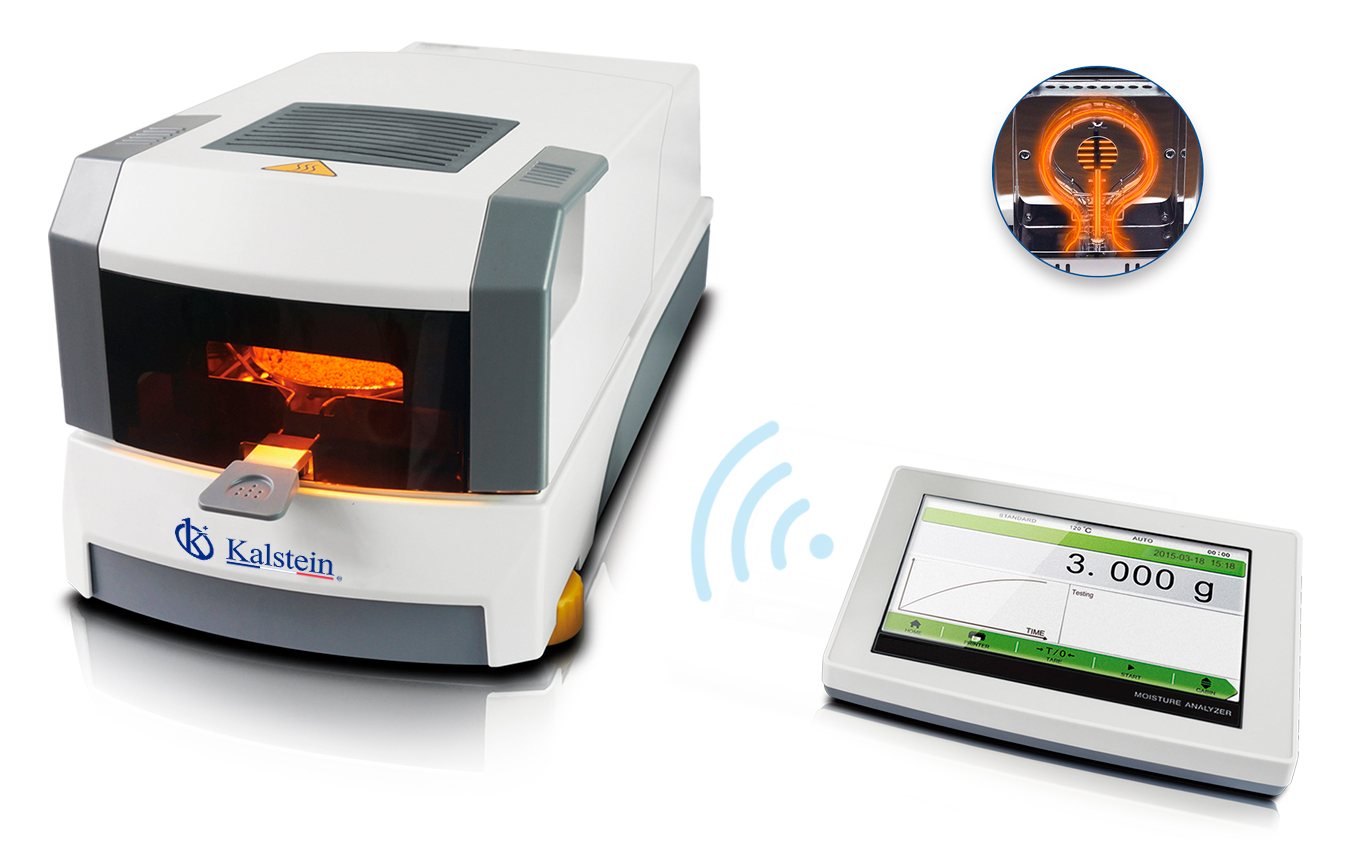
Installation and Commissioning Guide for the YR05558 Halogen Moisture Analyzer
The YR05558 Halogen Moisture Analyzer is a sophisticated instrument designed for precise measurement of moisture content in various materials. To achieve its optimal performance, understanding the installation and commissioning process is crucial. This guide provides a comprehensive overview of unboxing, setup, calibration, and validation procedures necessary for the YR05558.
Unboxing Checklist
Before proceeding with the installation, ensure that all components are included in the package. The unboxing checklist for the YR05558 includes:
- YR05558 Halogen Moisture Analyzer unit
- Power cable
- User manual
- Calibration weights (if applicable)
- Sample pans
- Dust cover
- USB/RS232 connection cable
Installation Steps
Follow these steps to properly install the YR05558:
- Choose an appropriate location: Ensure the area is flat, stable, and free from vibrations. The operating height should be comfortable for the user.
- Level the analyzer: Use a spirit level to check that the unit is perfectly leveled. Adjust the feet of the device as necessary.
- Connect power supply: Plug the power cable into an appropriate electrical outlet that meets the specifications of the YR05558.
- Connect to PC and printer: Utilize the USB or RS232 connections to link the analyzer to a computer or printer for data output.
- Power up the unit: Press the power button on the YR05558 and wait for it to initialize.
First-Run Calibration
Calibrating the YR05558 after installation is vital to ensure accurate measurements. Follow these calibration steps:
- Pre-heat the analyzer: Allow the unit to warm up for at least 30 minutes before performing calibration.
- Use certified calibration weights: Place the known weights on the sample pan to verify the readings against their expected values.
- Adjust settings if necessary: If discrepancies arise during calibration, adjust the settings as needed according to the user manual.
Common Setup Mistakes
While setting up the YR05558, several common mistakes can affect performance:
- Incorrect leveling, leading to inaccurate measurements.
- Power connections to incompatible outlets causing power failure.
- Neglecting to pre-heat the unit before calibration.
- Using inappropriate sample pans, which can skew moisture readings.
Technical Specifications
| Specification | Details |
|---|---|
| Model | YR05558 |
| Capacity | 110g |
| Readability | 0.001g |
| Operating Temperature | 5℃-35℃ |
| Heating Source | Halogen Lamp |
| Temperature Range | 40 ℃-230 ℃ |
Frequently Asked Questions
What is the maximum capacity of the YR05558 Halogen Moisture Analyzer?
The YR05558 can handle a maximum sample weight of 110 grams, providing sufficient capacity for various moisture analysis tasks.
How do I perform the first calibration after installation?
To perform the first calibration after installation, allow the unit to warm up for at least 30 minutes, then use certified calibration weights to verify and adjust the readings accordingly.
What common mistakes should be avoided during setup?
Common mistakes include failing to properly level the device, connecting it to an incompatible power outlet, and neglecting to pre-heat the unit before calibration.
Can the YR05558 connect to a printer for data output?
Yes, the YR05558 is equipped with USB and RS232 interfaces that allow it to connect to printers and computers for seamless data output.
What is the operating temperature range for the YR05558?
The YR05558 operates effectively within a temperature range of 5℃ to 35℃, ensuring accuracy in various environmental conditions.
What should I do if the equipment does not power on?
If the YR05558 does not power on, check the power connection, ensure the outlet is functional, and verify that the voltage specifications match the device requirements.
How can I request a quote for the YR05558 Halogen Moisture Analyzer?
You can easily request a quote for the YR05558 Halogen Moisture Analyzer through our dedicated sales channel.
If you are looking for a fusion of innovation and quality, you have come to the right place. At Kalstein, we offer you the luxury of exploring our exclusive catalog of laboratory equipment. We manufacture every device to the highest standards of excellence. Our intuitive and seamless online purchasing channels are designed for your convenience, securing the most competitive prices. Hesitate no longer — we bring science to life, it is time to become part of our community.