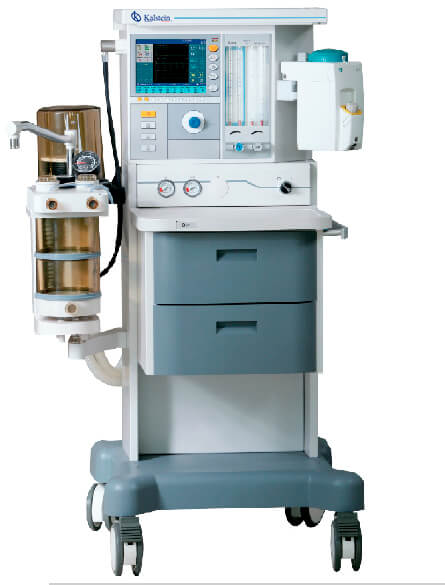
Installation and Commissioning Guide for the YR02087 ICU/NICU Ceiling Pendant
The YR02087 ICU/NICU Ceiling Pendant is a sophisticated medical device designed to provide comprehensive monitoring and support in both adult and pediatric intensive care units. This guide will focus on the installation and commissioning process, ensuring that healthcare professionals can leverage the full potential of the YR02087 for optimal patient care.
Understanding the YR02087 Ceiling Pendant
The YR02087 is designed to enhance bedside care through a flexible and organized approach. Its unique design conceals cables and pipes within the tower, promoting a clean environment. The pendant enables both dry and wet separation, allowing for efficient use of space while improving functionality. The wet section includes versatile components for infusion needs, and both sections feature a height-adjustable medical monitoring platform.
Technical Specifications
| Property | Specification |
|---|---|
| Model | YR02087 |
| Arm Elevation Range | 500 mm |
| 2 Arm Configuration | 1000 mm + 800 mm |
| Standard Configuration | 1 Oxygen (O2), 1 Air, 1 Suction (Vac), 1 Jet Exhaust Emission (AGSS), 6 * 10A Power Outlets, 1 Network Socket, 1 Grounding Terminal, 1 Guideway Extension Arm |
| Annex | IV Pole 1, Drawer 1, Shelf 3 |
| Multi-purpose Power Socket | 6 |
| Weight Capacity | 200 Kg |
Unboxing and Pre-Installation Checklist
Before beginning the installation, it is crucial to perform an unboxing checklist to ensure all components of the YR02087 are present and undamaged:
- Check the presence of the main pendant unit.
- Verify all accessories including the IV pole, drawer, and shelf.
- Ensure that all mounting hardware is included.
- Inspect for any visible signs of damage.
Installation Steps
To install the YR02087 Ceiling Pendant, follow these essential steps:
- Site Preparation: Ensure the ceiling structure can support the weight and functional requirements of the pendant.
- Mounting: Securely attach the pendant to the ceiling using the provided hardware. Ensure it is level and stable.
- Connection of Utilities: Connect the required oxygen, air, and suction lines according to hospital specifications.
- Electrical Setup: Connect the power outlets and network socket, ensuring compliance with local electrical codes.
- Final Checks: Go through a checklist to confirm all connections are secure and that the pendant operates as expected.
First Run Calibration and Setup
Once the installation of the YR02087 is complete, follow these steps for initial calibration:
- Power on the unit and verify that all indicators light up as intended.
- Check the height-adjustable monitoring platform for functionality.
- Run a network diagnostic if applicable to ensure communication with other devices.
Troubleshooting Common Installation Issues
It is essential to be prepared for potential issues during the installation phase. Here are common symptoms you may encounter and their solutions:
| Symptom | Cause | Solution |
|---|---|---|
| Unit does not power on | Power connection issue | Check connections and circuit breakers. |
| Height adjustment not functioning | Mechanical obstruction | Inspect for blockages in the adjustment mechanism. |
| Communication error with network | Improper network configuration | Verify network settings and connections. |
Frequently Asked Questions
What are the weight limitations of the YR02087 ceiling pendant?
The YR02087 has a weight capacity of 200 Kg, ensuring it can handle various medical equipment and supplies safely.
How does the height adjustment feature work on the YR02087?
The height adjustment on the YR02087 allows for easy modification, accommodating different patient needs and ensuring optimal accessibility for healthcare providers.
What type of electrical connections are required for the YR02087?
The YR02087 requires standard electrical outlets configured to hospital specifications, including multiple 10A power outlets.
Can the YR02087 be customized for specific medical applications?
Yes, the YR02087 can be configured to meet various medical applications, including adjustments for different equipment needs and layouts.
What should I do if the YR02087 shows error indicators?
If the YR02087 displays error indicators, consult the troubleshooting guide included in this manual to diagnose and solve the issue.
Where can I find replacement parts for the YR02087?
Replacement parts for the YR02087 can be acquired through authorized suppliers or directly from the manufacturer to ensure compatibility and quality.
Is there a warranty included with the purchase of the YR02087?
Yes, the YR02087 typically comes with a warranty that covers manufacturing defects; details on specific terms can be obtained upon purchase.
If you are looking for a fusion of innovation and quality, you have come to the right place. At Kalstein, we offer you the luxury of exploring our exclusive catalog of laboratory equipment. We manufacture every device to the highest standards of excellence. Our intuitive and seamless online purchasing channels are designed for your convenience, securing the most competitive prices. Hesitate no longer — we bring science to life, it is time to become part of our community.