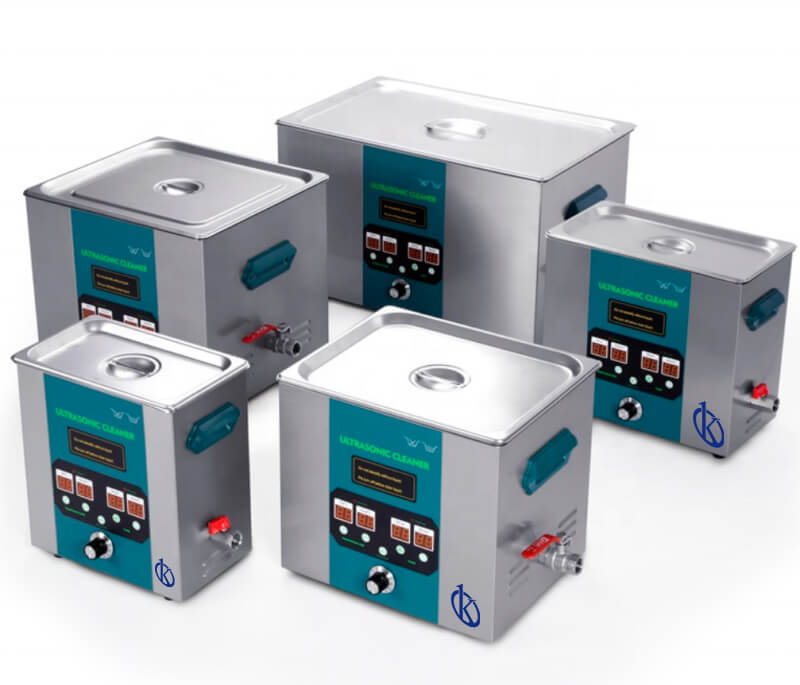
Frequent Errors and Troubleshooting for the YR05227 Ultrasonic Cleaner
The YR05227 Ultrasonic Cleaner is designed for effective cleaning across various applications. However, like any sophisticated equipment, users may encounter issues that require troubleshooting. This article delves into common symptoms, probable causes, and actionable solutions to ensure your YR05227 operates optimally.
Understanding the YR05227 Ultrasonic Cleaner
The YR05227 model is part of a series known for its high conversion efficiency and substantial capacity, making it a preferred choice in both clinical and industrial environments. It features a powerful ultrasonic frequency of 40 kHz and a heating power of up to 600 W, allowing for thorough cleaning of delicate instruments and labware. To maximize its use, understanding potential errors is crucial.
Technical Specifications of the YR05227
| Specification | Details |
|---|---|
| Model | YR05227 |
| Capacity (L) | 22 |
| Working Frequency | 40 KHz |
| Ultrasonic Power | 480 W |
| Heating Power | 600 W / 220V |
| Temperature Range | 0-80°C |
| Drain Valve | Yes |
| Wash Basket | Optional |
| Gross Weight (kg) | 14.5 |
Troubleshooting by Symptoms
In this section, we will categorize common issues by symptom and offer solutions for each.
Equipment Does Not Power On
One of the most common issues users face is the unit failing to power on. This can stem from several factors, including:
- Power Connection: Ensure that the power cord is securely connected to both the cleaner and the outlet.
- Fuse Issues: Check if the fuse is blown and replace it if necessary.
- Internal Malfunctions: If power issues persist, the internal circuitry may need inspection.
Error Code E-03
Error code E-03 indicates a problem with the ultrasonic functions. The likely causes include:
- Ultrasonic Transducer Failure: Inspect and replace if damaged.
- Electrical Faults: Review any wiring issues or loose connections.
Inconsistent Cleaning Results
If the YR05227 is not providing consistent cleaning, consider these factors:
- Dirty Solution: Replace the cleaning solution if it appears contaminated.
- Overloading: Ensure that the tank is not overloaded as it can obstruct ultrasonic waves.
Unusual Noises During Operation
Strange sounds during operation may signal issues such as:
- Loose Components: Check for any loose parts that may be vibrating.
- Detergent Residue: Excessive foam from detergents can cause noise; use recommended detergents.
Temperature Not Reaching Desired Levels
If the cleaner is not heating the solution effectively, review the following:
- Heating Element Malfunction: Inspect the heating element for functionality.
- Thermostat Issues: Check if the thermostat is set correctly or functioning.
Symptom-Cause-Solution Table for YR05227
| Symptom | Possible Cause | Solution |
|---|---|---|
| Equipment Does Not Power On | Power connection issues, blown fuse | Check connections, replace fuse |
| Error Code E-03 | Transducer failure, electrical faults | Inspect and replace transducer, check wiring |
| Inconsistent Cleaning Results | Dirty solution, overloading | Change solution, avoid overloading tank |
| Unusual Noises | Loose components, detergent residue | Tighten components, use recommended detergent |
| Temperature Not Reaching Desired Levels | Heating element malfunction, thermostat issues | Check heating element, verify thermostat setting |
Frequently Asked Questions
What should I do if my YR05227 Ultrasonic Cleaner emits an error code?
First, consult the user manual to identify the error code's meaning. Commonly, you may need to troubleshoot components associated with the error or reset the device. If the issue persists, contact technical support.
How can I maintain my YR05227 Ultrasonic Cleaner for optimal performance?
Regular maintenance includes cleaning the tank, replacing the cleaning solution, and checking mechanical parts for wear. Additionally, ensure that the unit is stored in a dry environment to prevent electrical issues.
Can I use any cleaning solution in the YR05227 Ultrasonic Cleaner?
No, it is advisable to use only recommended cleaning solutions specifically designed for ultrasonic cleaners to avoid damage to the unit and achieve optimal cleaning results.
Is it safe to operate the YR05227 near water sources?
No, the YR05227 Ultrasonic Cleaner should be kept away from direct water sources to prevent electrical hazards. Always operate it in a dry, stable environment.
What is the warranty period for the YR05227 Ultrasonic Cleaner?
The YR05227 comes with a standard warranty period of one year, covering manufacturing defects. Ensure to retain the purchase receipt for warranty claims.
How can I request a quote for the YR05227 Ultrasonic Cleaner?
You can easily request a quote through the appropriate channels, providing details about your requirements and location for a tailored service.
Conclusion
Understanding the YR05227 Ultrasonic Cleaner involves recognizing potential operational issues and being prepared with troubleshooting solutions. By following the guidelines outlined above, users can maintain high performance and extend the lifespan of their equipment.
If you are looking for a fusion of innovation and quality, you have come to the right place. At Kalstein, we offer you the luxury of exploring our exclusive catalog of laboratory equipment. We manufacture every device to the highest standards of excellence. Our intuitive and seamless online purchasing channels are designed for your convenience, securing the most competitive prices. Hesitate no longer — we bring science to life, it is time to become part of our community.