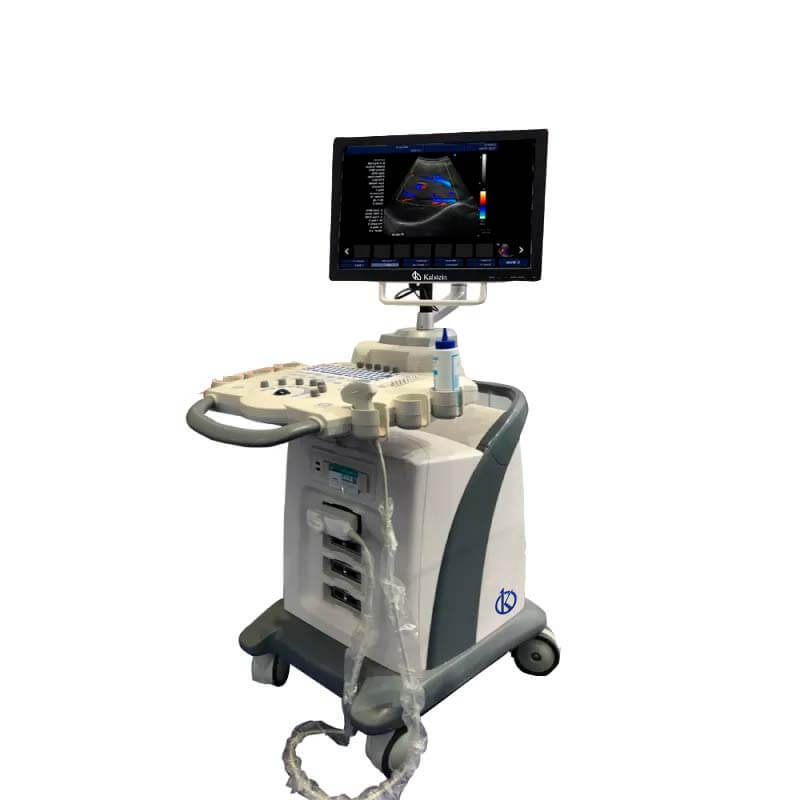
Customization and Advanced Configurations of the YR05149 Ultrasound Color Doppler System
The YR05149 Ultrasound Color Doppler System is not just a medical device; it's a versatile platform that can be tailored to specific operational needs through a variety of optional accessories and advanced configurations. Understanding how to customize this equipment can significantly enhance its performance, making it an invaluable tool in clinical settings.
Technical Specifications of YR05149
| Model | Brand | Category | Subcategory | Price USD | Weight (kg) | Dimensions |
|---|---|---|---|---|---|---|
| YR05149 | Kalstein | Ultrasound Scanner | Ultrasonic Color Doppler Diagnostic System | 4400.00 | 222 | x x |
Understanding Customization Options
Customization is key to optimizing the YR05149's capabilities. Users can enhance the system with various optional accessories and advanced configurations that can significantly impact diagnostic accuracy and ease of use.
Optional Accessories
- Workstations: Integrated workstations can be added to streamline workflow.
- Printers: Choose from USB printers or laser printers for efficient report generation.
- Transducers: Various transducer options, including linear and convex probes, are available to enhance diagnosis in different clinical situations.
Advanced Configurations
Advanced configurations allow for greater flexibility in operation. These include:
- DICOM Compatibility: Enables seamless integration with hospital networks for image sharing and storage.
- 3D Software: The optional 3D software can enhance imaging capabilities for complex anatomical assessments.
- Customizable User Rights: Control access through configurable passwords for various users.
How to Maximize the Utility of YR05149
To fully leverage the capabilities of the YR05149, users must familiarize themselves with its features and how to implement the available customizations effectively.
Step-by-Step Customization Guide
- Identify Needs: Assess the clinical needs to determine which accessories and configurations are necessary.
- Install Accessories: Follow the manufacturer's instructions for the installation of each accessory.
- Configure Settings: Access the configuration menu to set up user preferences, including DICOM settings and printing options.
- Testing: After setup, conduct tests to ensure everything operates smoothly before regular use.
Advanced Operating Modes for Power Users
Power users can take advantage of specialized modes available with the YR05149. These modes allow for more detailed data collection and processing.
- CF+B Mode: Combines color flow imaging and B-mode for enhanced visualization.
- Real-Time Imaging: For immediate assessment of blood flow and tissue analysis.
- Automated Measurements: Use the automated IMT measurement feature for quick assessments.
Frequently Asked Questions
What optional accessories are available for the YR05149?
The YR05149 offers optional accessories such as various transducers, integrated workstations, and multiple printer types to enhance its functionality.
How can I configure DICOM settings on the YR05149?
To configure DICOM settings, access the main menu, navigate to the DICOM configuration section, and enter the necessary network details for integration with hospital systems.
What are the benefits of using the 3D software with YR05149?
The 3D software enhances the imaging capabilities of the YR05149, allowing for more complex anatomical assessments and better visualization for diagnosis.
Can user access levels be customized on YR05149?
Yes, the YR05149 allows for customizable user rights, enabling administrators to set up passwords and control access for different users.
What are the advanced operating modes available for the YR05149?
The advanced operating modes include CF+B mode for combined imaging, real-time imaging for immediate assessments, and automated measurements for time efficiency.
How do I install additional accessories on the YR05149?
Follow the manufacturer's installation guidelines provided in the user manual for each accessory, ensuring that you connect them properly before use.
Where can I request a quote for the YR05149?
You can request a quote for the YR05149 through our sales channels, where our representatives will assist you in obtaining the best price.
If you are looking for a fusion of innovation and quality, you have come to the right place. At Kalstein, we offer you the luxury of exploring our exclusive catalog of laboratory equipment. We manufacture every device to the highest standards of excellence. Our intuitive and seamless online purchasing channels are designed for your convenience, securing the most competitive prices. Hesitate no longer — we bring science to life, it is time to become part of our community.