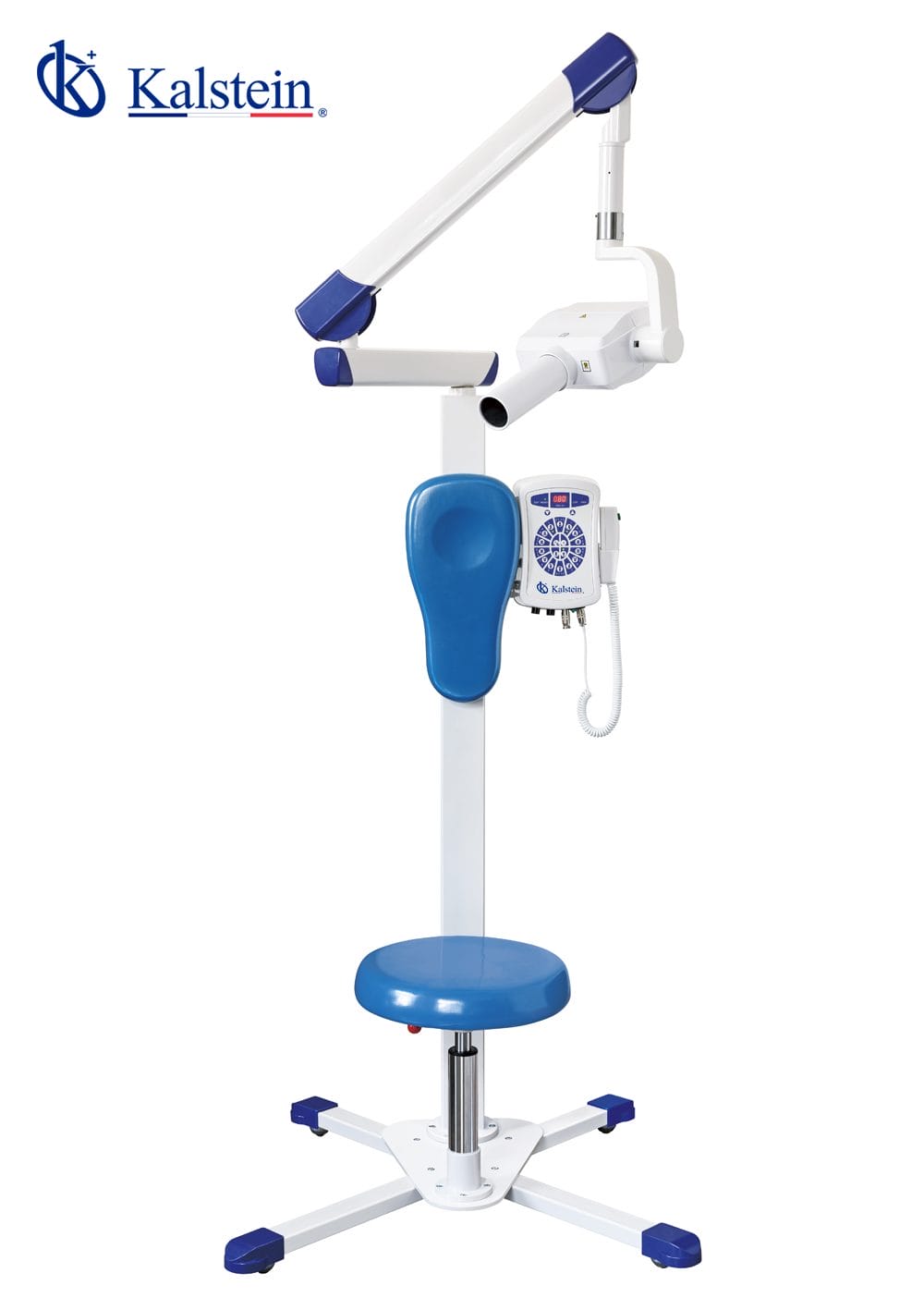
Common Errors and Troubleshooting for the YR06196 Digital Veterinary Intraoral X-ray System
The YR06196 Digital Veterinary Intraoral X-ray System is a cutting-edge device that leverages advanced technology for efficient imaging in veterinary practices. However, like any sophisticated equipment, it may encounter errors or operational challenges. This guide aims to address frequent issues that users may face and provide reliable troubleshooting solutions.
Understanding the YR06196 Digital Veterinary Intraoral X-ray System
The YR06196 is designed for precise dental imaging in veterinary medicine. Utilizing micro-focusing technology, the device generates exceptionally clear images, essential for accurate diagnosis. It operates with a controlled exposure facilitated by a microcomputer, allowing for smart monitoring of power conditions and ensuring safety through low voltage alarms and high voltage protections. Its dual-mode base supports both mobile and fixed operations, enhancing convenience for veterinarians and comfort for patients.
Technical Specifications of the YR06196
| Specification | Value |
|---|---|
| Model | YR06196 |
| Power Supply | 220V±10%, 50HZ, 1KVA |
| Tube Voltage | 70 kVp |
| Tube Current | 8 mA |
| Focus Size | 0.8 mm |
| Total Filtration | 2.5 mmAL |
| Exposure Time | 0.2-4s |
| Leak Radiation | outside one meter ≤ 0.002Mg/h |
| Net Weight | 57 kg |
| Pixel Size | 18.5µm |
| Resolution | 14-20Ip/mm |
| Power Consumption | 600 mW |
Common Errors and Their Troubleshooting Steps
This section outlines common symptoms encountered when operating the YR06196 along with their likely causes and solutions.
| Symptom | Probable Causes | Solutions |
|---|---|---|
| Equipment does not power on | Incorrect power supply, blown fuse, internal wiring issues | Check power source and connections, replace the fuse, consult a technician for wiring issues |
| Error code E-03 appears | Overheating, sensor malfunction | Let the unit cool down, check sensor connections, reset the system |
| Inconsistent image quality | Improper positioning, low exposure time, sensor dirt | Reposition the sensor, increase exposure time, clean the sensor |
| Image takes too long to process | Software lag, memory overload | Restart the device, clear memory cache |
Maintenance and Best Practices for the YR06196
To ensure optimal performance and longevity of the YR06196, adhere to regular maintenance schedules. This includes:
- Routine cleaning of the sensor and components
- Regular software updates
- Conducting periodic self-assessments of device performance
- Monitoring and testing of exposure settings
Frequently Asked Questions
What should I do if the YR06196 shows an error code?
First, consult the user manual for the specific error code. Common solutions include resetting the device, checking connections, and ensuring all components are properly installed. If the problem persists, contact technical support.
How can I improve the image quality produced by the YR06196?
Ensure that the sensor is clean, properly positioned, and that the exposure time settings are adequate for the specific imaging task. Regular maintenance can also enhance performance and image quality.
What are the common causes of overheating in the YR06196?
Overheating can occur due to prolonged use without breaks, inadequate ventilation, or internal component failure. To prevent this, follow the recommended usage guidelines and ensure the device is well-ventilated.
Can I replace components of the YR06196 myself?
Some components, such as the sensor and cables, may be user-replaceable. However, for major repairs or internal parts, it is recommended to contact a qualified technician to avoid voiding the warranty.
How often should I perform maintenance on the YR06196?
Regular maintenance should be conducted monthly, along with a thorough checkup every six months. This ensures the device remains in optimal working condition and prolongs its lifespan.
What type of software is compatible with the YR06196?
The YR06196 is compatible with various imaging software used in veterinary practices. Ensure to use the recommended software to optimize the functionality and performance of the device.
How can I request a quote for the YR06196?
You can request a quote through our specialized sales team who will assist you in obtaining current pricing and additional information about the YR06196.
If you are looking for a fusion of innovation and quality, you have come to the right place. At Kalstein, we offer you the luxury of exploring our exclusive catalog of laboratory equipment. We manufacture every device to the highest standards of excellence. Our intuitive and seamless online purchasing channels are designed for your convenience, securing the most competitive prices. Hesitate no longer — we bring science to life, it is time to become part of our community.